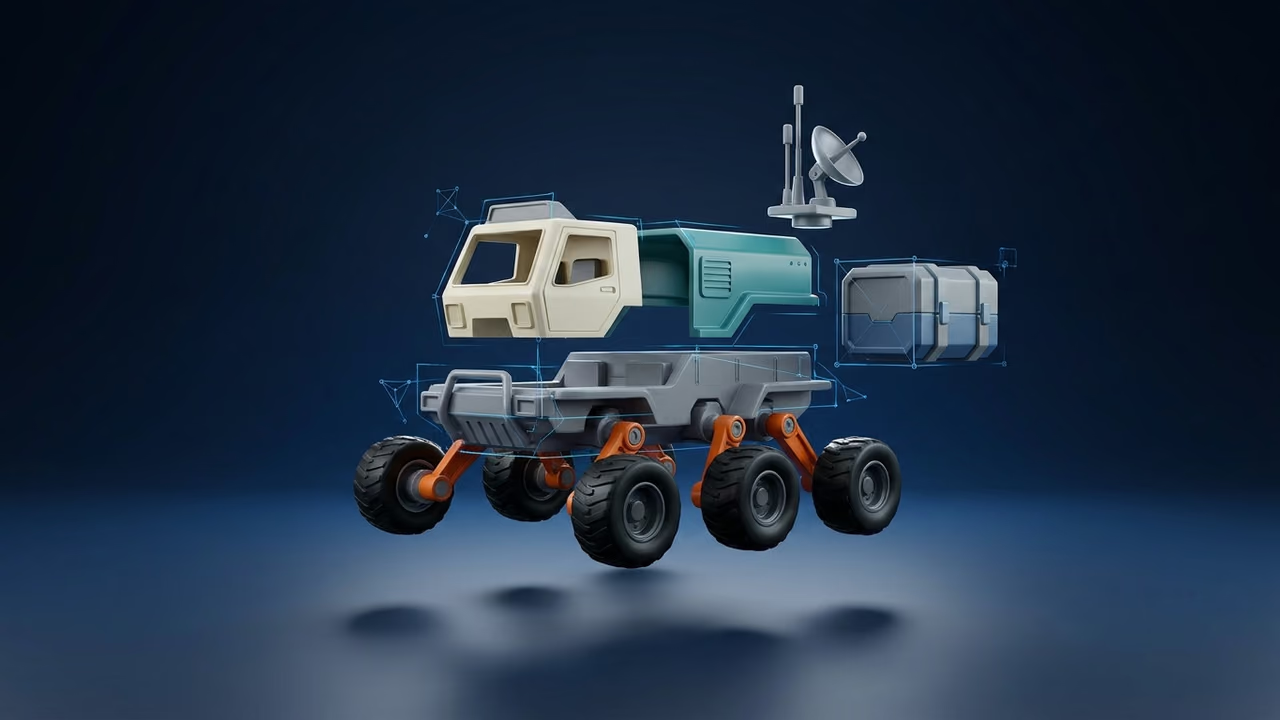
LLM vs Diffusion Text to 3D: How LLM 3D Creation Works
There are two ways AI turns a prompt into a 3D model: a language model that writes the geometry as code, or a diffusion model that generates it as a shape. Here is how each works, what each is good at, and when to use LLM 3D Creation in Sloyd.
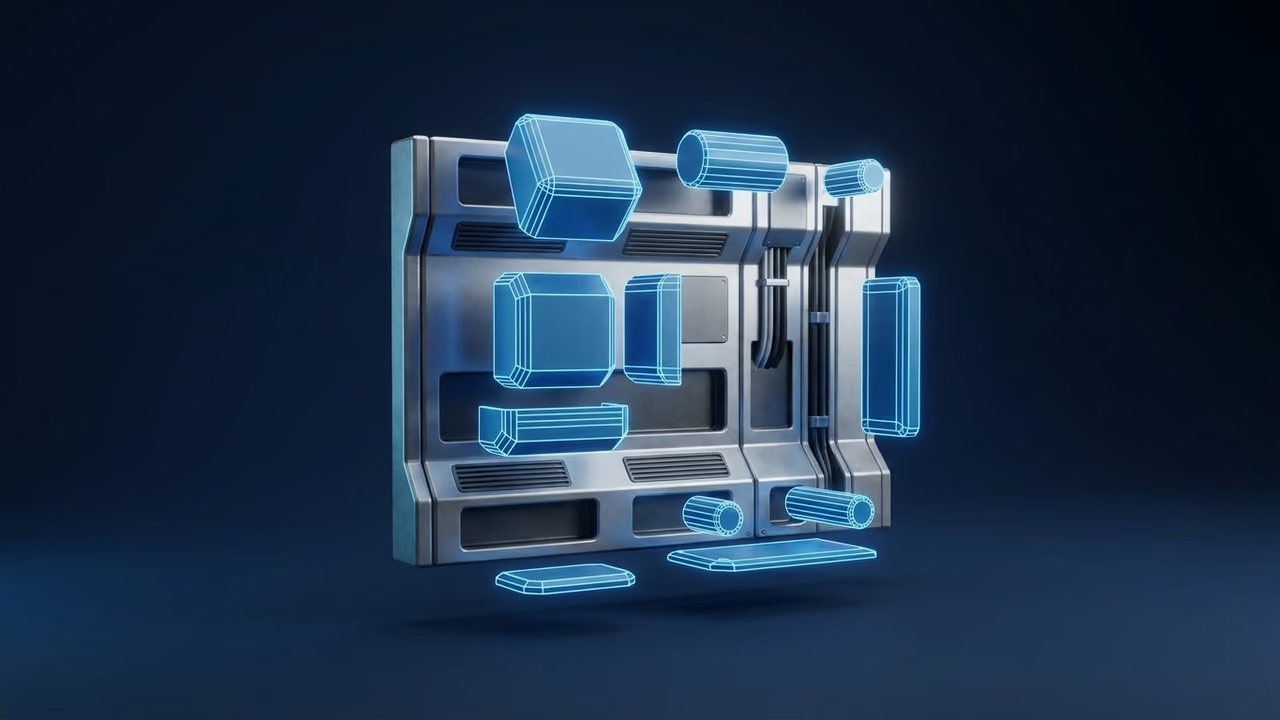
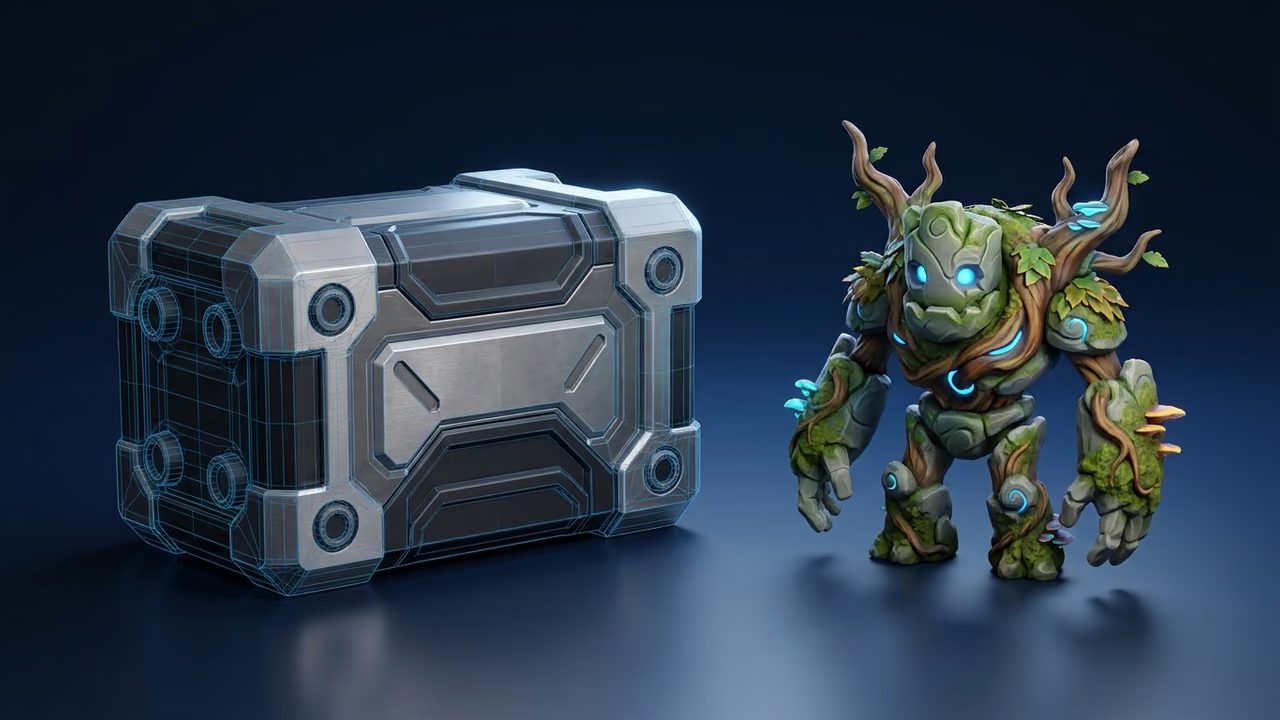
Type "a stackable storage crate with recessed handles" into two different AI 3D tools and you can get two very different kinds of model back. One looks like it was built by a 3D artist with a ruler: flat panels, straight edges, parts that line up. The other looks sculpted: soft forms, painted detail, a surface that reads well from a distance but has no clean structure underneath.
That difference comes from how the model is made. LLM text to 3D has a language model write the geometry as code. Diffusion text to 3D has a generative model produce the shape directly, often from an image of it. Both are useful, and they are good at opposite things.
This guide explains both, shows where each wins, and covers how Sloyd's LLM 3D Creation fits next to the standard text to 3D and image to 3D tools.
What Is LLM Text to 3D?
LLM text to 3D is a way of generating 3D models in which a large language model writes a program, such as a modeling script or CAD code, and running that program produces the mesh. The model never "draws" the shape. It plans it as parts with positions, sizes and materials, the way a technical artist would script it.
Because the output is built from explicit operations (a box here, a cylinder there, a bevel on these edges), the result tends to have:
- Clean hard-surface geometry. Flat faces stay flat, circles stay round, and repeated parts are identical.
- Exact proportions. A prompt that says "four legs, a shelf at half height" can be followed literally.
- Editable structure. The script is the source of the model, so a follow-up instruction can change one part and leave the rest alone.
- Lower polygon counts. Simple primitives need few triangles, which suits low-poly and faceted styles.
The trade-off is detail. Code is a poor way to describe a face, a tangle of roots or a fur coat. LLM-built models look constructed, because they are.
Public examples of LLM-driven 3D
The same approach shows up in open projects and research, checked on 30 October 2026:
- Blender scripting through an LLM. The open-source Blender MCP plugin lets a language model run Python inside a live Blender session to create and edit objects and apply materials, from clients such as Claude Code and Cursor. For more on connecting agents to 3D tools, see our guide to MCP servers for 3D model generation.
- Procedural modeling with LLM agents. The 3D-GPT paper splits the job between three LLM agents that expand a scene description and turn it into parameters for procedural generation in Blender.
- Text to CAD. CAD-Coder trains a model to write CadQuery scripts, Python-based parametric CAD code, and rewards it for geometric accuracy.
- Meshes written as text. LLaMA-Mesh teaches a language model to output vertices and faces directly as text.
If procedural generation is new to you, our beginner's guide to procedural 3D asset generation and the comparison of parametric vs generative 3D modeling cover the background.
What Is Diffusion Text to 3D?
Diffusion text to 3D is the family of methods that generate a 3D shape (and its texture) with a model trained on large collections of 3D assets or images, rather than by writing code. Most tools that call themselves AI 3D model generators use it, often by turning your prompt into an image first and then turning that image into a mesh.
A few public reference points, checked on 30 October 2026:
- DreamFusion (2022) optimized a 3D scene until its renders looked right to a pretrained 2D text-to-image diffusion model, with no 3D training data.
- Hunyuan3D 2.0 uses a large diffusion transformer to generate geometry that matches a conditioning image, and a separate model to paint high-resolution textures.
- TRELLIS encodes shape and appearance in a structured 3D latent and generates it with rectified flow transformers, decoding to meshes, 3D Gaussians or radiance fields.
What this family is good at:
- Organic shapes. Characters, creatures, plants, rocks and anything sculpted.
- Rich textures. Painted color, wear and surface detail come with the model.
- Matching a picture. Image to 3D follows the silhouette and colors of a reference closely.
The trade-off is structure. Diffusion meshes are typically dense, evenly triangulated surfaces. Straight edges can come out slightly wavy, small mechanical parts can melt together, and the model is one surface rather than labeled parts. Many tools leave a retopology or decimation pass to you before the asset ships.
Sloyd's standard text to 3D works this way: it generates an image from your prompt first, then turns that image into a textured model at the polygon budget of the preset you pick (for example Low Poly, 10k triangles, for games), which you can export as GLB, FBX, OBJ or STL.
How Does LLM 3D Creation Work in Sloyd?
LLM 3D Creation (called Astra inside the app) is Sloyd's language-model 3D tool: you describe one object, a language model writes a 3D modeling script, and Sloyd runs that script on its render service and returns a textured GLB. It is listed in the app menu as LLM 3D Creation and lives at app.sloyd.ai/labs/astra.
Here is what happens on a run, as of October 2026:
- You describe the object. The prompt box takes up to 2,000 characters. You can attach a reference image, or send an image on its own and it builds a model that matches it.
- The model writes and runs code. The language model writes a complete, self-contained script and Sloyd executes it. A run can take up to three passes, so the model can fix a script that failed or improve one that worked. You can download the final model or any single pass.
- Surfaces get real materials. The script labels each surface type (for example metal, wood, glass or plastic, up to eight per model) and Sloyd matches each label to a catalog material with up to five PBR maps (albedo, ambient occlusion, metallic, normal and roughness). If a part is missing usable UVs, Sloyd rebuilds them as a box projection without touching the geometry.
- You iterate with follow-up prompts. Under the result, "Iterate on this model" takes a change such as "add a visor, make the shell matte black". The tool edits the script that built the model, so unrelated parts are preserved, and every iteration saves as a new model. The original stays as it was, and you can pick an earlier version and branch from it.

The details that matter:
- Status: Beta. You need a signed-in Sloyd account with credits; Sloyd Plus and Pro include monthly credits.
- Price: 10 credits per generation and per iteration at the introductory price, normally 20. Sloyd Plus ($15/month) includes 50 monthly credits and Sloyd Pro ($50/month) 350; see pricing.
- Time: a run takes several minutes, much longer than a standard text to 3D generation.
- Visibility: choose Public or Private before you generate. Public models are shared under CC BY 4.0.
- Output: a GLB with materials. "Download final" saves the model and "Open in editor" takes it into the rest of Sloyd.
- Scope: one focused object per prompt. The page suggests prompts like "A stackable storage crate with rounded ribs and recessed handles", "A modular sci-fi wall panel with vents and cable channels" and "A low-poly observatory tower with an exterior staircase".
Two other doors lead to LLM 3D Creation. When you upload a photo of a realistic building to image to 3D, Sloyd offers a button currently labeled "Build it with Astra (recommended)", because a scripted building usually comes out cleaner than one generated from a single image. And Sloyd's AI Agent for subscribers can call LLM 3D Creation from chat and edit the models it made; see our roundup of AI agents for creating game assets.
Where it is not the answer: characters, creatures and anything organic or highly detailed. LLM 3D Creation is also not part of the Sloyd API or MCP server as of October 2026. If you need text to 3D from code, the Sloyd API and our guide to 3D model generation APIs cover the diffusion-style endpoints.
LLM vs Diffusion Text to 3D: Which Should You Use?
Use LLM text to 3D for hard-surface, functional and architectural objects where shape accuracy and editability matter, and diffusion text to 3D for characters, creatures, organic props and anything that needs rich painted texture. Many projects use both.
| Asset kind | Better approach | Why |
|---|---|---|
| Crates, containers, panels, consoles | LLM 3D Creation | Straight edges, repeated parts, exact proportions |
| Furniture and fixtures | LLM 3D Creation | Legs, shelves and frames line up and stay editable |
| Buildings and modular architecture | LLM 3D Creation | Floors, walls and stairs follow a clear plan |
| Brackets, mounts and functional parts | LLM 3D Creation | Measurable shapes, easy to adjust with a follow-up |
| Faceted low-poly props | LLM 3D Creation | Few, clean polygons by construction |
| Characters and creatures | Diffusion (text to 3D) | Organic anatomy and painted detail |
| Plants, rocks, food and natural props | Diffusion (text to 3D) | Irregular surfaces code describes poorly |
| Stylized props with lots of surface detail | Diffusion (text to 3D) | Texture carries the look |
| A specific concept sketch or photo | Diffusion (image to 3D) | Follows the reference silhouette and colors |
| Collectibles and figurines to print | Diffusion, then post-work | Sculpted look; split and add a base after |
| A realistic building from a photo | LLM 3D Creation + image | Sloyd recommends it when it detects a building |

Prompt Tips for Each Approach
The best prompt depends on how the model is built: LLM prompts should read like a parts list, diffusion prompts like a description of how the object looks.
Prompting LLM 3D Creation
- Name one object. The tool's own page asks for prompts focused on one object. A scene of five things is five prompts.
- List the parts. "Workbench with a thick wooden top, four square steel legs, a lower shelf and two drawers on the right" gives the model a plan to follow.
- Give proportions and counts. "Twice as tall as it is wide", "six vents in a row", "a 45-degree roof" are easy for code and hard to infer.
- Name materials per surface. "Brushed metal frame, frosted glass panels, rubber feet" maps directly onto the material labels the script assigns.
- Refine with small follow-ups. Change one thing per iteration ("thicker walls", "add a latch on the front") instead of rewriting the whole prompt. Our post on iterative refinement of 3D prompts explains why this works.
- Add a reference image to pin down shape and colors. The tool treats the image as the visual target for shape, proportions, part layout and colors, while surface textures still come from Sloyd's material catalog.
Prompting diffusion text to 3D
- Lead with the subject and style. "Stylized goblin merchant, hand-painted texture, chunky proportions".
- Describe the look, not the construction. Texture, mood and silhouette matter more than part counts.
- Keep it to one subject. Sloyd's text to 3D cuts long or scene-like prompts down to one primary subject anyway.
- Use image to 3D when you have art. A sketch or render fixes the design better than words; see tips for better image to 3D results.
More general advice is in how to write better prompts for 3D model generation.
What to Do After You Generate
LLM-built and diffusion-built models both end up in the same place: My Activity, ready for the rest of the 3D tools.
- Split it into parts. A diffusion model is one surface; Split to Parts separates it into pieces, with optional pins and holes for printing. See how to split a 3D model into parts with AI.
- Reduce or reshape the mesh. Mesh Modifiers decimate a mesh to a lower polygon budget and reshape a model in the browser; see the guide to mesh modifiers.
- Make it printable. Add a wall mount, display stand, pendant or keyring loop with Mounts & Keychains, covered in our AI keychain generator guide.
- Ship it to your engine. For game work, check the polygon count and export to GLB or FBX. See 3D for game development.
Common Mistakes with LLM and Diffusion Text to 3D
Most mistakes come from picking the wrong approach for the asset: asking a language model for organic shapes, or asking diffusion for precise mechanical parts.
- Asking an LLM for a character. Code-built people and animals look like mannequins. Use text to 3D or the 3D human model generator instead.
- Asking diffusion for precise mechanics. Gears, hinges and repeated vents come out soft. Use LLM 3D Creation, or a template.
- Packing a scene into one prompt. Both approaches work best on one object. Build scenes from separate assets.
- Rewriting the prompt instead of iterating. With LLM 3D Creation, a new prompt starts a new model from scratch. A follow-up keeps what already works.
- Expecting instant results from LLM 3D Creation. A run takes several minutes; the standard tools are faster for quick exploration.
- Shipping meshes over budget. Pick a game preset such as Low Poly before you generate, or decimate with Mesh Modifiers before the model goes into a real-time engine.
For the full list, read 10 common mistakes when using text to 3D tools.
FAQ
What is the difference between LLM text to 3D and diffusion text to 3D?
LLM text to 3D has a language model write code that builds the mesh, which gives clean hard-surface shapes and editable structure. Diffusion text to 3D generates the shape and texture directly from learned data, often via an image first, which suits organic shapes, characters and detailed textures.
What is LLM 3D Creation in Sloyd?
LLM 3D Creation is Sloyd's text to 3D tool built on a language model, in the Create 3D menu of the Sloyd web app. You describe one object, optionally attach a reference image, and the model writes and runs a modeling script that returns a textured GLB. It is in Beta and costs 10 credits per run at the introductory price, normally 20.
Can I edit a model made with LLM 3D Creation?
Yes. Under each result, type a follow-up instruction such as "add a handle" or "make the walls thicker". The tool changes the script that built the model and keeps unrelated parts, and each iteration saves as a new model, so the original is preserved and you can branch from any earlier version.
Is LLM text to 3D better than diffusion for game assets?
It depends on the asset. LLM text to 3D is better for crates, panels, furniture, buildings and faceted low-poly props. Diffusion is better for characters, creatures, plants and stylized props with painted detail. Most games need both, so use each where it is strongest.
Can ChatGPT or Claude make 3D models?
A general chatbot can write Blender Python or CAD code that you run yourself, and plugins such as Blender MCP let it control Blender directly. Sloyd's LLM 3D Creation packages that idea into one step: it writes the script, runs it, applies materials and returns a GLB without a local 3D setup.
Does LLM 3D Creation work with a reference image?
Yes. Attach an image next to your prompt, or send the image alone. The tool treats the image as the primary visual target for shape, proportions, part layout and colors. When you upload a photo of a realistic building to image to 3D, Sloyd also offers to build it with LLM 3D Creation instead.
Is LLM 3D Creation available through the Sloyd API?
No, as of October 2026. LLM 3D Creation runs in the Sloyd web app and through the AI Agent for subscribers. The Sloyd API and MCP server cover text to 3D, image to 3D, multi-image to 3D, retexturing, Split to Parts, and image generation, image editing and skyboxes, billed on prepaid API credits separate from web plans.
Try Both and Keep What Works
LLM text to 3D and diffusion text to 3D are not rivals. One builds, the other sculpts, and a good asset library uses both.
Start a hard-surface prop or building with LLM 3D Creation in Sloyd, and use text to 3D or image to 3D for characters and organic props. For the basics, see the text to 3D glossary entry. To compare other generators, see Meshy alternatives.