Best MCP Servers for 3D Model Generation (2026)
Compare the MCP servers that let Claude Code, Codex, Cursor and VS Code make 3D models: Sloyd, Hyper3D Rodin, Meshy, MCP for Blender, Tripo, Unity and Godot, on hosting, cost, setup and security, then set up Sloyd step by step.

Coding agents already write your game's scripts and shaders, but they could not hand you the treasure chest itself. An MCP server for 3D model generation closes that gap, so the same chat that writes your inventory system can also return a textured GLB of the chest that goes in it.
Several of these servers now exist. Some are hosted APIs you connect with one command; others drive Blender or a game engine on your machine. This guide compares them on what they create, where they run, cost and trust, then sets up the Sloyd MCP server in Claude Code, Codex, Cursor, VS Code and Claude Desktop. Every competitor detail was checked on 30 October 2026.
What Is an MCP Server?
An MCP server is a program that exposes tools to an AI agent through the Model Context Protocol, an open standard that lets clients such as Claude Code, Codex, Cursor and VS Code discover those tools and call them on your behalf.
For 3D work, the agent can start a text to 3D job, wait for it and hand you the download link. If you would rather call a 3D service from your own code, see the best 3D model generation APIs; MCP wraps the same services for agents.
What to Look For in a 3D MCP Server
The right server depends on whether you want new assets or control over a scene you already have. Check five things.
1. Hosted or Local
A hosted server is a URL with nothing to install. A local server runs on your machine, often next to Blender, Unity or Godot, and only works while they are open.
2. What It Can Actually Create
Some servers generate meshes; others only import assets or move objects. Read the tool list, not the project name.
3. Cost Model
Free open-source bridges often call a paid provider with your own key, so "free" can still mean a bill.
4. Setup Effort
A hosted server is one command. A local bridge also needs a runtime, an editor add-on and the editor running, on every teammate's machine.
5. Security
Generating a file is low risk. Running arbitrary Python inside Blender over an unauthenticated socket is not.
The Best MCP Servers for 3D Model Generation
Sloyd MCP is the hosted pick for new 3D assets, images and skyboxes, and Hyper3D Rodin, Meshy and Tripo are the other generators. MCP for Blender, the Unity servers and the Godot servers control scenes rather than generate models on their own.
1. Sloyd MCP: Hosted 3D, Images and Skyboxes

The Sloyd MCP server is hosted at https://api.sloyd.ai/api/mcp and speaks Streamable HTTP, so there is nothing to install. It uses the same API keys and prepaid credits as the Sloyd API, so a chat prototype can become a pipeline without a new account.
What your agent can do: 10 generation and editing tools and a free image upload, plus three helpers for job status, credit balance and generation styles.
- 3D models:
generate_3d_from_text,generate_3d_from_imageandgenerate_3d_from_images(several views of one object). - Model tools:
retexture_modelpaints a new texture from a prompt, andsplit_model_into_partsbreaks a model into separate meshes. - Images:
generate_image,edit_imageandupload_image. - Skyboxes:
generate_skybox,generate_skybox_from_imageandedit_skybox.
Each generation returns a job ID at once and runs for one to several minutes; the agent polls get_job until it gets a GLB link, an image URL, or a skybox panorama with cubemap faces.
Limits and errors: each account can currently run up to 5 jobs at once, shared with any web app jobs on the same account. A call that would return 402 (out of credits) or 429 (too many running jobs) in the REST API comes back as a tool error with the same message and a hint to top up or wait, so the agent can act on it.
Pricing: prepaid API credits at 75 per USD, minimum USD 12 for 900 credits, separate from Sloyd web plans. A textured text to 3D model is 25 credits, a retexture 15, a split to parts 40 and a skybox 25 (full rate card on API pricing).
Setup: the MCP setup page is open to every signed-in user. It has copyable configs for each client and a "Let your agent install it" prompt.
Where it is not the answer: it returns files; it does not place objects in your Blender or Unity scene. Retexture and split take the job ID of any model in your Sloyd account. MCP has no upload tool yet, so for an outside model, upload it first with the REST API's POST /jobs/upload-3d, then give the agent that job ID. OAuth-only connectors in claude.ai and ChatGPT are not supported yet.
Pick it when: you want new 3D assets, images and skyboxes from any agent, with no local install and one bill.
2. Hyper3D Rodin MCP: Hosted, with Browser Sign-In
Hyper3D runs a hosted Rodin MCP server at https://api.hyper3d.com/api/mcp. Instead of an API key, you sign in through the browser and pick a billing workspace. The page documents Codex, Claude Code and Kimi Code CLI, and lists text to 3D (and image input where supported) with progress checks and downloads in GLB/glTF, OBJ, FBX, USDZ and STL "where available".
Pricing: not listed on the MCP page, which says usage follows your workspace's plan and credits. For Rodin itself, see our Hyper3D alternatives.
Pick it when: you already have a Rodin workspace and prefer OAuth to managing keys.
3. Meshy MCP: Broad Tool Set, Runs Locally
Meshy publishes an open-source MCP server (@meshy-ai/meshy-mcp-server, MIT). Its tool list is the widest of the generators: text, image and multi-image to 3D, retexture, remesh, rigging, animation, conversion, UV unwrap, and 3D printing tools such as printability checks and auto split.
It is a local server: Meshy's MCP page says it "does not provide a hosted MCP URL". You need Node.js 18 or later and a MESHY_API_KEY, and that key requires a Pro plan or above.
Pricing: the API uses prepaid credits; the server's README lists a textured Meshy 7.1 model at 30 credits and a retexture at 10. Meshy's API docs list credit costs but no dollar price per credit, so we quote none. Compare it further in our Meshy alternatives guide.
Pick it when: you are on a Meshy Pro plan and want rigging and print prep too.
4. MCP for Blender (formerly blender-mcp): Full Scene Control
With about 33,000 GitHub stars, ahujasid/mcp-for-blender (formerly blender-mcp, MIT) runs with uvx mcp-for-blender; uvx blender-mcp still works. A Blender add-on runs a socket server inside Blender, and a local MCP server talks to it. The agent can create and change objects, set materials, check viewport screenshots and write Blender Python.
It imports Poly Haven, Sketchfab and Poly Pizza assets and generates through Meshy, Tripo, Hyper3D Rodin and Hunyuan3D with your keys.
Pricing: the add-on is free. An optional Premium license covers generation without your own keys: Hobby $10/month (25 standard generations), Pro $20 (25 standard plus 8 high quality), Studio $60 and Max $100.
Security: the README warns that execute_blender_code runs arbitrary Python, says to save first, and notes the socket "has no authentication or encryption". Safe mode (BLENDER_MCP_SAFE_MODE=1) checks scripts first, and DISABLE_TELEMETRY=true stops the default anonymous usage record.
Pick it when: you want the agent to build and light a scene in Blender, not just hand you files.
5. Tripo: Official CLI with an MCP Mode
Tripo's developer docs list tripo mcp, which runs the official Tripo CLI (npm install -g tripo-cli, Node.js 20 or later) as an MCP server on your machine. You sign in through the browser or with a Tripo API key, and Tripo credits are spent only on successful billable tasks, such as generation and some texturing, rigging and conversion steps; the CLI covers text, image and multiview to 3D. The older Tripo-Developer/tripo-mcp repo is an alpha that works only through the Tripo Blender add-on. See our Tripo alternatives for the model itself.
6. Unity MCP Servers: Official and Community
Unity's official MCP is free, with no concurrency limits and no Unity AI credits needed. It needs Unity 6 or later. Unity now recommends setting it up through the Unity CLI and its MCP mode; the older MCP server in the AI Assistant package is deprecated. With that older server, you approve each new client in the editor.
MCP for Unity (CoplayDev/unity-mcp, MIT, free) supports Unity 2021.3 to 6.x and exposes tools for scenes, scripts, assets, tests and builds. Its v10 release adds an opt-in asset_gen group: models through Meshy or Tripo, images through fal.ai or OpenRouter, and Sketchfab imports, with your own keys kept in the OS secure store.
Pick one when: the agent wires assets into a Unity project. A generator makes the asset; a Unity server places it.
7. Godot MCP Servers
Coding-Solo/godot-mcp (MIT, npx @coding-solo/godot-mcp) runs projects, reads debug output and edits scenes. Godot AI (Godot 4.7+) offers 46 tools for a live editor. Neither generates 3D models.
MCP Servers for 3D Compared
Sloyd and Hyper3D Rodin are the hosted options here; every other server runs locally next to an editor or calls a generator with your own key.
| Server | Runs | Creates new 3D models | Auth | Cost | Setup |
|---|---|---|---|---|---|
| Sloyd MCP | Hosted, HTTP | Yes, plus parts, textures | API key headers | Prepaid, from USD 12 for 900 credits | One command or JSON |
| Hyper3D Rodin MCP | Hosted, HTTP | Yes | Browser sign-in | Workspace plan, not on the MCP page | Add, then log in |
| Meshy MCP | Local, Node.js | Yes, plus rig and print | API key, Pro plan+ | Prepaid credits, USD not stated | npx and an env variable |
| MCP for Blender | Local, Blender + uv | Through providers | Provider keys or Premium | Free; Premium from $10/mo | One-line installer, then start in Blender |
Tripo CLI (tripo mcp) | Local, Node.js 20+ | Yes, through the CLI | Browser login or Tripo API key | Tripo credits | npm install, then tripo mcp |
| Unity MCP (official) | Local, Unity 6+ | No | Local connections only | Free | Unity CLI or editor settings |
| MCP for Unity | Local, Unity + uv | Through providers (opt-in) | Provider keys | Free, MIT | Package and uv |
| Godot MCP / Godot AI | Local, Godot | No | Local only | Free, MIT | npx or add-on |
Competitor rows come from each project's README, docs or pricing page, checked on 30 October 2026. "Through providers" means it calls a third-party generator with your key.
How to Set Up the Sloyd MCP Server
Setup takes about two minutes: get an API key, add the server to your client, then ask for your balance.
- Open the MCP setup page while signed in and create an API key there; it is filled into every config on the page. You get a client ID (starting
sok_live_) and a client secret, which is shown only once, so save it. - Buy API credits; the balance is 0 until your first purchase.
- Pick your client below, or choose "Let your agent install it" on the setup page and paste the prompt into Claude Code, Codex, Cursor or VS Code. The prompt never contains your secret; the agent leaves a placeholder and tells you where to paste it.
- Ask the agent: "What's my Sloyd credit balance?" If it answers with a number, you are connected.
Claude Code
Export your keys as environment variables, then run:
claude mcp add --transport http sloyd https://api.sloyd.ai/api/mcp \
  --header "x-client-id: $SLOYD_CLIENT_ID" \
  --header "x-client-secret: $SLOYD_CLIENT_SECRET"
Start a new session; /mcp lists sloyd as connected.
Codex
Add this to ~/.codex/config.toml, which the Codex CLI, IDE extension and ChatGPT desktop app share:
[mcp_servers.sloyd]
url = "https://api.sloyd.ai/api/mcp"

[mcp_servers.sloyd.http_headers]
"x-client-id" = "sok_live_..."
"x-client-secret" = "<your client secret>"
Cursor
Add this to ~/.cursor/mcp.json, or to .cursor/mcp.json in a project. The setup page also has an "Add to Cursor" button once your key is filled in.
{
  "mcpServers": {
    "sloyd": {
      "url": "https://api.sloyd.ai/api/mcp",
      "headers": {
        "x-client-id": "sok_live_...",
        "x-client-secret": "<your secret>"
      }
    }
  }
}
VS Code
Add this to .vscode/mcp.json. VS Code asks for the secret the first time and keeps it in secure storage, so the file holds no secret:
{
  "inputs": [
    {
      "type": "promptString",
      "id": "sloyd-client-secret",
      "description": "Sloyd API client secret",
      "password": true
    }
  ],
  "servers": {
    "sloyd": {
      "type": "http",
      "url": "https://api.sloyd.ai/api/mcp",
      "headers": {
        "x-client-id": "sok_live_...",
        "x-client-secret": "${input:sloyd-client-secret}"
      }
    }
  }
}
The tools then show up in Copilot Chat's Agent mode. The setup page also has an "Install in VS Code" button, but it writes your secret into your VS Code user configuration, so use the file above if you want the secret in secure storage.
Claude Desktop
Claude Desktop's config file starts local servers only, so mcp-remote bridges it to the hosted server. Open Settings, then Developer, then Edit Config, and add this to claude_desktop_config.json (it needs Node.js):
{
  "mcpServers": {
    "sloyd": {
      "command": "npx",
      "args": ["-y", "mcp-remote", "https://api.sloyd.ai/api/mcp", "--header", "Authorization:${SLOYD_AUTH}"],
      "env": { "SLOYD_AUTH": "Bearer sok_live_...:<your secret>" }
    }
  }
}
Restart Claude Desktop and the tools appear under the tools icon.
Example Prompts: Generate a Prop, Then Split or Retexture It
Agents do best with one concrete request, then follow-ups that refer back to the result:
- "Make a low-poly treasure chest as a 3D model and give me the GLB link." The agent calls
generate_3d_from_text, pollsget_joband returns the link. For a low-poly or other look, it can list styles withget_generation_styles. - "Split that chest into about 8 parts with attachment points so I can print it." The agent passes the chest's job ID to
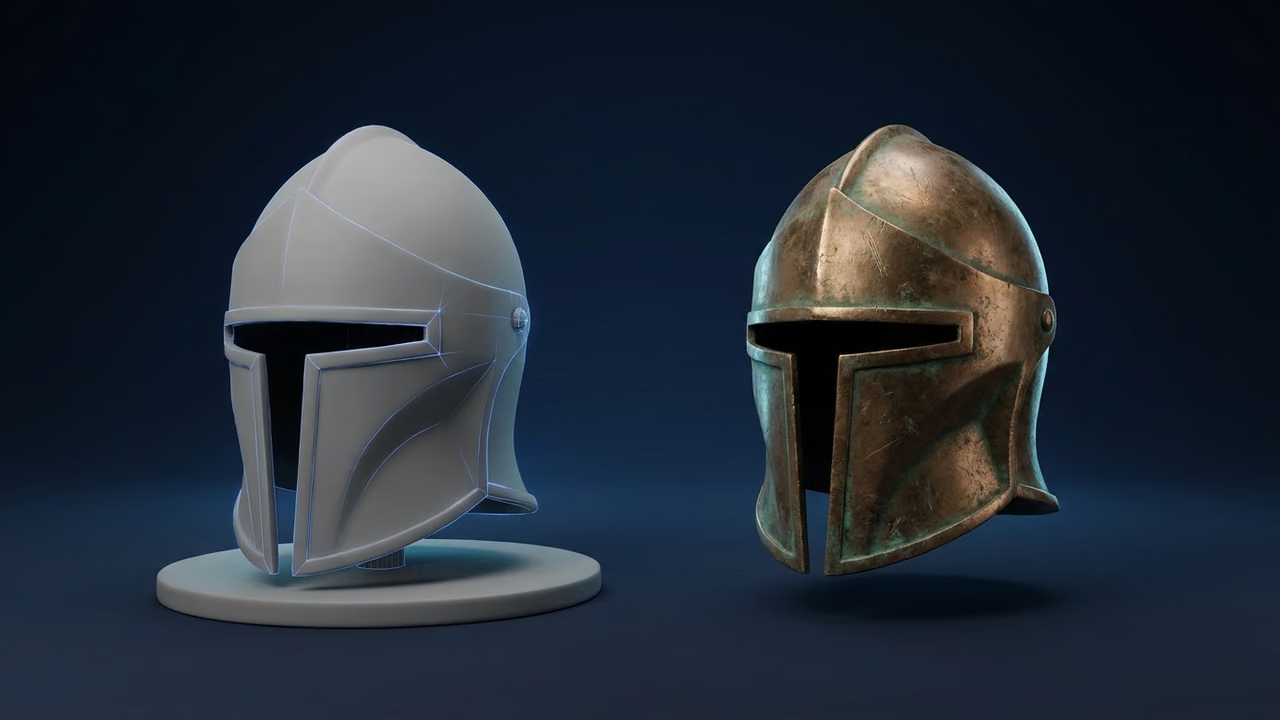
split_model_into_partswith the partition method. For reusable parts, ask for decomposition. - "Retexture the chest in weathered bronze." The agent calls
retexture_modeland returns a new GLB.

Partition keeps textures and caps each cut; decomposition rebuilds hidden surfaces but leaves parts untextured. See how to split a 3D model into parts with AI for both methods, or use Split to Parts in the browser.
Also try "Generate a sunset desert skybox for my game" for a skybox, or "Turn this concept art into a 3D model: https://..." for image to 3D. With a batch of props, pack them on one texture atlas using our game asset pack guide, then see converting Sloyd models to game engine formats.
How to Keep Your Client Secret Out of Shared Config
Keep the secret in secure storage or an environment variable, never in a committed file.
- VS Code: use the
promptStringinput shown above; the committed file holds only${input:sloyd-client-secret}. - Claude Code: pass
$SLOYD_CLIENT_IDand$SLOYD_CLIENT_SECRETfrom your shell. - Cursor: use
~/.cursor/mcp.jsonin your home folder, or gitignore the project's.cursor/mcp.json. - Codex:
~/.codex/config.tomllives in your home folder, outside the repo. - Agents: never paste the secret into a chat.
- Rotate: if a secret leaks, revoke the key and create a new one.
Common Mistakes with 3D MCP Servers
Most problems come from picking the wrong kind of server, missing a bring-your-own-key bill, or exposing a local bridge.
- Mistaking a scene bridge for a generator. The official Unity server and the Godot servers place and script assets; they do not make meshes.
- Ignoring "bring your own key". A free server can still bill your provider account.
- Running Blender code without saving. Save first, or turn on safe mode.
- Exposing a local socket. Keep Blender and engine bridges on
localhost. - Asking for ten models in one message. Each Sloyd account currently runs 5 jobs at once (API and web app combined); a sixth returns a 429.
FAQ
What is the best MCP server for 3D model generation?
For new assets from any agent, Sloyd MCP is a strong default: it is hosted, connects with one command and an API key, and also retextures, splits models into parts and makes skyboxes. Hyper3D Rodin suits browser sign-in, Meshy has the widest local tool set, and MCP for Blender gives full scene control.
Is there a free MCP server for Blender?
Yes. MCP for Blender (formerly blender-mcp) is free and MIT-licensed, and it imports free Poly Haven, Sketchfab and Poly Pizza assets. AI generation through it needs your own Meshy, Tripo, Rodin or Hunyuan3D key, or a Premium license starting at $10 per month.
Can Claude Code generate 3D models?
Yes, once you connect a 3D MCP server. With Sloyd, run one claude mcp add command with your API key and ask for a model in plain words. Claude Code calls the tool, waits for the job and returns a GLB link, usually within minutes.
Do I need to install anything to use the Sloyd MCP server?
No. The server is hosted at api.sloyd.ai and uses Streamable HTTP, so Claude Code, Codex, Cursor and VS Code connect directly. Only Claude Desktop's config file needs the small mcp-remote bridge, which runs through npx and needs Node.js installed.
How much does the Sloyd MCP server cost?
It costs the same as the Sloyd API: prepaid credits at 75 per USD, from a USD 12 minimum purchase for 900 credits. A textured text to 3D model is 25 credits, a retexture 15 and a split to parts 40. The server itself is free to connect, and Sloyd web plans are billed separately.
Is it safe to give an AI agent access to Blender or Unity?
Yes, with limits. Generation-only servers just create files. Scene bridges change your project, and MCP for Blender can run arbitrary Python over an unauthenticated socket, so keep it on localhost, save first and use safe mode. Unity's official CLI accepts local connections only.
Which AI clients support the Sloyd MCP server?
Claude Code, Codex, Cursor, VS Code and Claude Desktop have ready configs on the setup page, and the Anthropic and OpenAI APIs work too. Any client that supports remote Streamable HTTP servers connects with the URL and two headers. OAuth-only connectors in claude.ai and ChatGPT are not supported yet.
Give Your Agent a 3D Toolbox
For most game teams the right setup is a generator plus, optionally, a scene bridge: Sloyd MCP makes the props, skyboxes and parts, and a Blender, Unity or Godot server places them. Start on the Sloyd MCP setup page, check API pricing, and read the Sloyd API overview and our guide to API integration for 3D models across platforms for scripted pipelines.
Prefer buttons to prompts? The Sloyd plugins send models into Unity, Unreal, Godot, Blender, Maya and Roblox, and the in-app Agent (Beta, for Sloyd Pro subscribers and, for a limited time, Sloyd Plus) does chat-driven creation with no setup. Compare chat agents in the best AI agents for creating game assets, and see LLM text to 3D vs diffusion text to 3D for where 3D generation is heading. Building a game? Start at 3D for game development or try text to 3D in the browser.