Kling AI Alternatives for Video Generation (2026)
Looking for a Kling AI alternative? Compare Sloyd Video Studio, Runway, Google Flow, Luma, Hailuo, Seedance, Pika and open-source Wan on frames, loops, sound and price, plus shot recipes for game trailers, social loops and GIFs.

Kling earned its reputation on motion. Bodies move with weight, cloth follows through, and a short prompt turns into a shot that looks filmed rather than generated. Runway and Luma both offer Kling 4.0 inside their own apps.
But motion quality is only part of the job. You also need to know what a clip costs before you render it, keep your own characters on model, and get a file you can post: a 9:16 short, a 16:9 trailer beat, or a looping GIF. A Kling AI alternative is any video generator you use instead of Kling's own app for that work, whether it runs a different model family or hosts Kling next to others.
Below are the main options, starting with Sloyd Video Studio, plus shot recipes for game trailers, social loops and GIFs. Every competitor price and feature was checked on 30 October 2026 on the vendor's own site.
Why Look for a Kling AI Alternative?
People look beyond Kling for three reasons: pricing they cannot read up front, assets made in another tool, and output that needs another app to finish.
- The price is hard to pin down. Kling did not list plan prices or credit amounts on its public pricing pages when we checked on 30 October 2026, and third-party guides quote conflicting prices, so check the tiers inside Kling's app.
- Your cast comes from somewhere else. The character, prop or product in the shot was usually made in a different tool, so every clip starts with an export and re-upload.
- Finishing happens elsewhere. A loop that has to land back on its first frame, a GIF for a Discord or Steam page, or a voice line for the character all need another step.
Kling is still a strong pick for pure motion: its homepage leads with Kling 4.0 and its audio-visual generation, plus motion control and a node-based Canvas. If motion is all you need and the price works, stay with it.
What to Look For in a Kling Alternative
The right Kling alternative controls the frame, the sound and the cost for your kind of shot. Four checks separate the options.
1. Start and End Frames
Image to video keeps your character on model. An end frame decides where the shot lands, which is what makes logo reveals, pose holds and loops possible.
2. Sound in the Same Generation
Kling 4.0, Google, Hailuo and several models on Luma now return clips with audio. A tool that adds sound as a separate generation costs you a mixing pass on every shot.
3. Price You Can Read Before You Render
A cost per second shown on the button before you generate beats a credit pool where you find out the cost of a clip after picking a model.
4. Output You Can Post
Check aspect ratios, length per generation, and loop or GIF export.
Kling AI Alternatives in 2026, Tool by Tool
The main Kling AI alternatives in 2026 are Sloyd Video Studio, Runway, Google Flow, Luma Dream Machine, Hailuo (MiniMax H3), Dreamina (Seedance 2.5), Pika and open-source Wan. Runway and Luma also host Kling 4.0 itself.
1. Sloyd Video Studio: Video from Your Own Assets, with Loops and GIFs
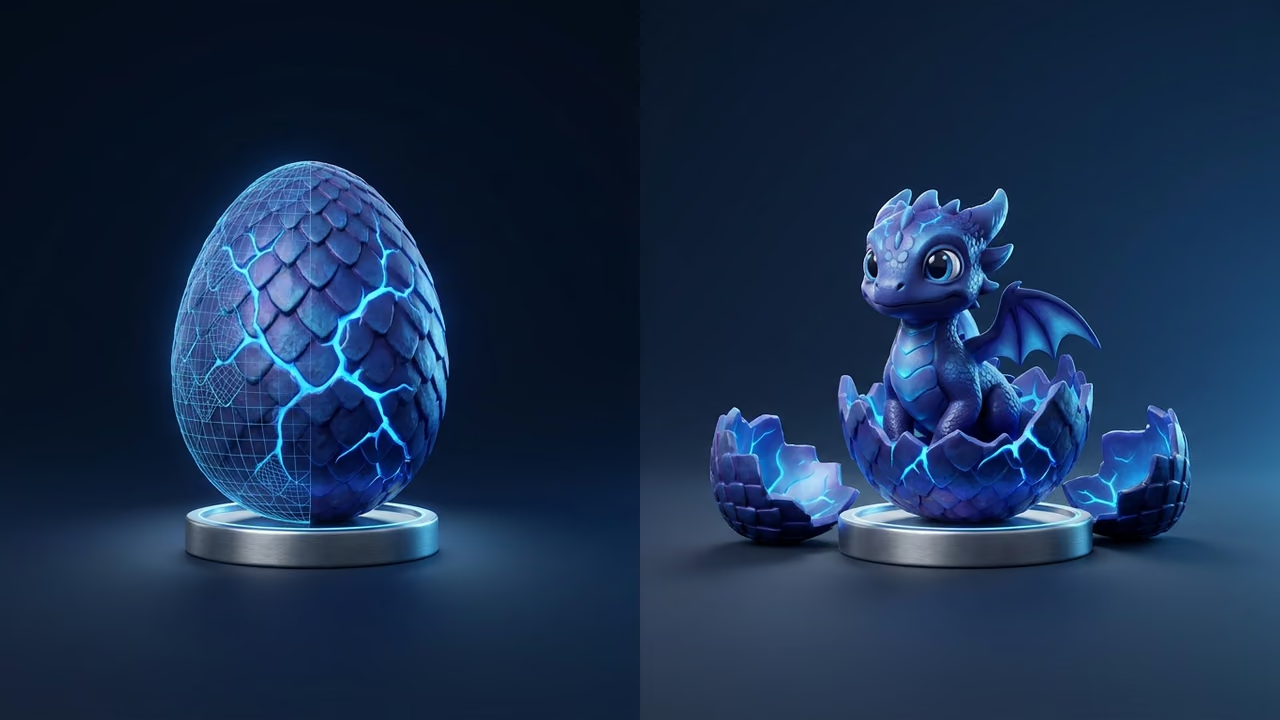
Sloyd is where you make the characters, props, images and skyboxes that end up in your shots, and Video Studio animates them in the same app. It runs on the paid plans, Sloyd Plus at $15/month ($150/year) and Sloyd Pro at $50/month ($500/year). Each render costs 1 credit per second at 480p, 2 at 768p and 4 at 2K, and the total is shown on the button before you generate. Plus includes 50 credits a month (50 seconds at 480p, 25 at 768p or 12 at 2K) and Pro 350, and top-up credits are sold separately. Already subscribed? Open Video Studio in the app.
The composer has three modes, each with a worked example on the How it works tab:
- Create: describe the scene in up to 2,500 characters. Add an optional Start image and End image, plus References for look, style or sound: up to 9 images, 3 videos and 3 audio files, 12 in total. Frames and references work together in one generation at 480p or 768p.
- Edit: pick a source video and describe the change. Keep the source length to restyle it, or add seconds to extend the action.
- Motion: pair a subject image with a motion video, and the subject performs the same moves in its own look.
Details that matter for social and game work:
- Loop: with a start image set, the Loop toggle makes the clip end on that same image, so the last frame flows back into the first.
- Lengths and shapes: 1 to 15 seconds per generation, at 480p, 768p or 2K, in 16:9, 9:16, 1:1, 21:9, 4:3 or 3:4. A Camera menu adds push in, pull back, orbit, follow or a locked shot.
- Sound with every clip: ambience and effects come back with the picture.
- GIF download: signed-in users can download a video as an endlessly looping GIF made from its first 30 seconds (12 frames per second, up to 480 × 480 px). Guests viewing a shared video get the MP4 only.
- Spoken lines: attach the character image and an audio file of the line, then ask for it to be spoken in sync. The lip-sync guide walks through it.
You do not pick a model: Sloyd routes each job to one of several third-party video models, Kling among them. Subscribers can also ask the Sloyd Agent (Beta) to make the asset and the clip in one conversation, with an approval step before anything that spends credits; see how it compares in our roundup of the best AI agents for creating game assets.
Where it is not the answer: there is no timeline editor, so trailers are cut in your own editor. Video is not part of the Sloyd API as of October 2026; the API covers 3D, images and skyboxes (see our guide to 3D model generation APIs). And there is no free trial of Video Studio: it needs Sloyd Plus or Pro.
2. Runway: The Editing Suite That Also Sells Kling
Runway combines its own Gen-4.5, Gen-4 and Gen-4 Turbo models and Aleph 2.0 with third-party models, including Kling 4.0 and Nano Banana Pro on every paid plan and Seedance 2.5 from Pro up.
Pricing (checked on 30 October 2026): Free gives 125 one-time credits. Standard is $15/month, or $12/month billed annually, for 625 credits, which Runway lists as 52 seconds of Gen-4.5 (12 credits per second). Pro is $35/month ($28 annually) for 2,250 credits, and Max is $95/month ($76 annually) for 9,500 credits. Runway sells audio as separate models (Seed Audio 1.0, Lyria 3, text to speech); its pricing page does not say which video models return sound with the clip.
Pick it when: you want Kling's motion plus a full editing suite on one bill. More in our Runway alternatives guide.
3. Google Flow and Gemini: Realism with Sound
Google generates video in the Gemini app and in Flow, and the plan comparison names Gemini Omni Flash as the video model on every tier.
Pricing (checked on 30 October 2026): Google AI Pro includes 1,000 Flow credits a month, AI Ultra 5x 10,000 and Ultra 20x 25,000; for the AI Plus credit amount and plan prices, see Google's plan page. Developers can call Gemini Omni 1.1 Flash through the Gemini API at about $0.10 per second of 720p video, per Google's API pricing page.
Pick it when: you want photoreal clips with sound and already pay for Google AI.
4. Luma Dream Machine: Many Models, Clear Tiers
Luma pairs its own Ray3.2 and Ray3.14 models with hosted ones, including Kling 4.0, Seedance 2.5, Veo 3.1 and MiniMax H3. Its model table lists no audio on the Ray models but audio on Kling 4.0, Seedance, Veo 3.1 and H3.
Pricing (checked on 30 October 2026): Plus is $30/month ($25/month billed yearly) for 10,000 credits, Pro $90/month ($75 yearly) for 40,000, and Ultra $300/month ($250 yearly) for 150,000. Commercial use is included from Plus.
Pick it when: you want to compare several frontier models, Kling included, from one account.
5. Hailuo (MiniMax H3): Long, Sharp Clips with Stereo Sound
MiniMax launched H3 on 31 July 2026: up to 15 seconds at 2K, native stereo sound where voice, effects and music are modeled together, and text, image, video and audio references, including video-to-video motion transfer. It runs in the Hailuo app.
Pricing: Hailuo's subscribe page did not list prices when we checked on 30 October 2026; see Hailuo's site for current pricing.
Pick it when: you need 2K clips with dialogue and music in one pass.
6. Seedance (Dreamina by CapCut): Seedance Inside CapCut's App
ByteDance's Seedance 2.5 runs in Dreamina, CapCut's creative app. Dreamina's own Seedance pricing guide lists the US Basic plan at $15/month with 1,575 credits, and Seedance 2.5 at 37 credits per second at 720p, about 42 seconds a month. Higher tiers showed only local-currency prices when we checked on 30 October 2026.
Pick it when: you edit in CapCut anyway and want ByteDance's own Seedance 2.5 in the same ecosystem.
7. Pika: Social Effects and Many Hosted Models
Pika now hosts Seedance 2.5, MiniMax H3, Wan 3.0 and Gemini Omni 1.1 Flash next to its own Pika 2.5 and Pikaframes, plus speech, music and sound-effect models.
Pricing (checked on 30 October 2026): Starter is $10/month, or $8/month billed annually, for 900 credits with a commercial license. The free tier buys credit packs only.
Pick it when: you make playful short-form clips and want a low monthly price.
8. Wan (Open Source): No Per-Clip Fee
Alibaba's Wan2.1 and Wan2.2 are open weights under Apache-2.0. Wan2.2's TI2V-5B model makes 720p video at 24 fps on a GPU with 24 GB of VRAM (such as an RTX 4090); the 14B text-to-video and image-to-video models need about 80 GB for the single-GPU command. Wan2.1 also ships a first-and-last-frame model, FLF2V-14B, at 720p.
Pick it when: you have the GPUs and the engineering time, and need full control or private hosting.
Shot Recipes for Game Trailers, Social Loops and GIFs
The shots that work best have one subject, one action and a fixed shape. Each recipe lists inputs, prompt and settings for Sloyd Video Studio; the ideas carry over to other tools.

Game trailer beat (16:9)
- Render a 16:9 still of your hero asset, built with text to 3D or image to 3D, and set it as the Start image; the start image sets the clip's aspect ratio.
- Set the key-art pose or title frame as the End image so the beat lands.
- Prompt one action: "The bike's thrusters fire and it lifts off the cliff edge, dust swirling, engines glowing, wind across the canyon."
- Choose 8 to 10 seconds, 768p for drafts, and Pull back on the Camera menu. When the motion works, render the final take at 2K (a new generation, so keep the same inputs and prompt).
The full workflow, including Extend and cutting several beats together, is in how to animate concept art into a game trailer.
Social loop (9:16 or 1:1)
- Set a 9:16 (Reels and Shorts) or 1:1 (feeds) character or product image as the Start image; it sets the clip's shape.
- Turn on Loop, so the clip ends on that same frame.
- Prompt motion that returns to rest: "The chest lid creaks open, coins spill out in an arc and settle back inside, soft glow."
- Choose 4 to 6 seconds and the Locked camera so the background does not drift.

GIF for Discord, Steam or a README
- Make a loop as above from a square start image, 2 to 4 seconds long.
- Keep the subject large and the background plain; a GIF is capped at 480 × 480 px and 12 fps.
- Open the finished video and download it as GIF.
Product spin
Start from a product photo, set the Orbit camera, and describe the material, not the motion. See 3D product videos for e-commerce.
NPC line
Write and voice the line first with the AI voice generator, then attach the audio and the character image as references. See AI voice-over for NPCs and narrators for casting voices, and open Sloyd Audio to make the file.
Kling AI Alternatives Compared
This table summarizes each vendor's own pages on 30 October 2026. "See vendor" means no price is quoted here; check the vendor's page for current pricing. "Not stated" means the vendor's pages do not state it, not that the feature is missing. Start and end frames are left out of the table because vendors document them unevenly; check each tool's docs.
| Tool | Sound with the clip | Loop and GIF export | Starting price |
|---|---|---|---|
| Sloyd Video Studio | Yes, every clip | Loop toggle, GIF (sign-in) | Sloyd Plus $15/mo ($150/yr) |
| Kling | Yes on Kling 4.0 | Not stated | See vendor |
| Runway | Not stated (audio models sold separately) | Not stated | Standard $15/mo ($12/mo yearly) |
| Google Flow/Gemini | Yes | Not stated | See vendor |
| Luma | Yes on hosted models | Not stated | Plus $30/mo ($25/mo yearly) |
| Hailuo (H3) | Yes, stereo | Not stated | See vendor |
| Seedance (Dreamina) | Not stated | Not stated | Basic $15/mo (US) |
| Pika | Not stated | Not stated | Starter $10/mo ($8/mo yearly) |
| Wan (open source) | Not stated | Your own tooling | Free weights, your GPU |
Common Mistakes When Switching from Kling
- Comparing credit counts instead of seconds. Runway's 625 credits buy about 52 seconds of Gen-4.5, Dreamina's 1,575 about 42 seconds of Seedance 2.5, and Sloyd Plus's 50 credits 25 seconds at 768p. Convert every plan to seconds at the resolution you will use.
- Starting from text when you have the asset. A start image keeps your character on model across every shot.
- Asking for a loop without an end frame. Without an anchor, the last frame drifts. Use the same image for start and end.
- Cropping 16:9 into 9:16. Generate a separate vertical cut; reframing crops your subject.
- Leaving sound to the edit. Use a tool that returns audio with the clip, and make specific game sound effects with AI.
FAQ
What is the best Kling AI alternative in 2026?
There is no single best Kling AI alternative: Runway and Luma are the closest swap because they host Kling 4.0 next to other models, and Sloyd Video Studio fits creators who make their own characters and props and need loops and GIFs. Google and Hailuo return clips with sound, and Pika's Starter costs $10 a month ($8 billed annually).
How much does Kling AI cost?
Kling did not list plan prices on its public pricing pages when we checked on 30 October 2026, and third-party guides disagree. Compare the current plans inside Kling's app by cost per second, not per credit.
Is there a free alternative to Kling AI?
Open-source Wan2.1 and Wan2.2 are free under Apache-2.0 if you run them on your own GPU: Wan2.1's 1.3B model needs about 8 GB of VRAM, and Wan2.2's 720p TI2V-5B needs 24 GB. Runway's Free plan gives 125 one-time credits. Sloyd Video Studio is not free: it needs Sloyd Plus or Sloyd Pro, starting at $15 a month.
Which AI video generators make sound with the video?
Sloyd Video Studio adds sound to every clip, and Kling 4.0, Google's Gemini and Flow, and MiniMax H3 return audio too. Luma marks audio on several hosted models but not its own Ray models. Runway sells audio models separately, and its pricing page does not say which of its video models return sound.
Can I make a looping AI video or GIF?
Yes. In Sloyd Video Studio, set a start image and turn on Loop so the clip ends on the same frame. Signed-in users can then download the video as a looping GIF built from its first 30 seconds, at 12 frames per second and up to 480 × 480 px.
Can I use Kling models without Kling's app?
Yes. Runway and Luma both list Kling 4.0 among their hosted models, so you can pay their published plan prices instead. Sloyd also routes some jobs to a Kling model, but it picks the model for you rather than offering a menu.
Make the Asset and the Shot in One Place
Kling set a high bar for motion, but every trailer or loop starts with a character, a prop and a world. Make them where you animate them.
Build the cast with text to 3D or image to 3D, get a clean hero prop with LLM 3D Creation, Sloyd's LLM text-to-3D tool, paint stills with the AI image generator, and wrap the scene in a skybox. Then animate it in Sloyd Video Studio and add voice lines with the AI audio generator. Developers wiring Sloyd into coding agents for the 3D side can follow our guide to MCP servers for 3D model generation. Shipping a game? See 3D for game development. Selling products? See 3D for e-commerce. Compare plans on the pricing page, then open Video Studio.