AI 3D Generator for AR and Web: Export GLB and USDZ
Generate a 3D model from text or an image, then export it twice: GLB for web viewers and WebGL pipelines, USDZ for Apple AR previews. Covers the two export use cases, the Triangles slider, the shareable viewer embed, and a handoff checklist for scale, textures and polygon budget.

A model that looks right in a 3D editor can still be the wrong file for the job. A phone that places a product on a kitchen counter wants one format, a product page that spins the same product in a browser wants another, and a resin printer wants a third. If you are using an AI 3D generator to produce the asset, the useful question is not which tool makes the nicest mesh, it is which files come out of it and what each one is good for.
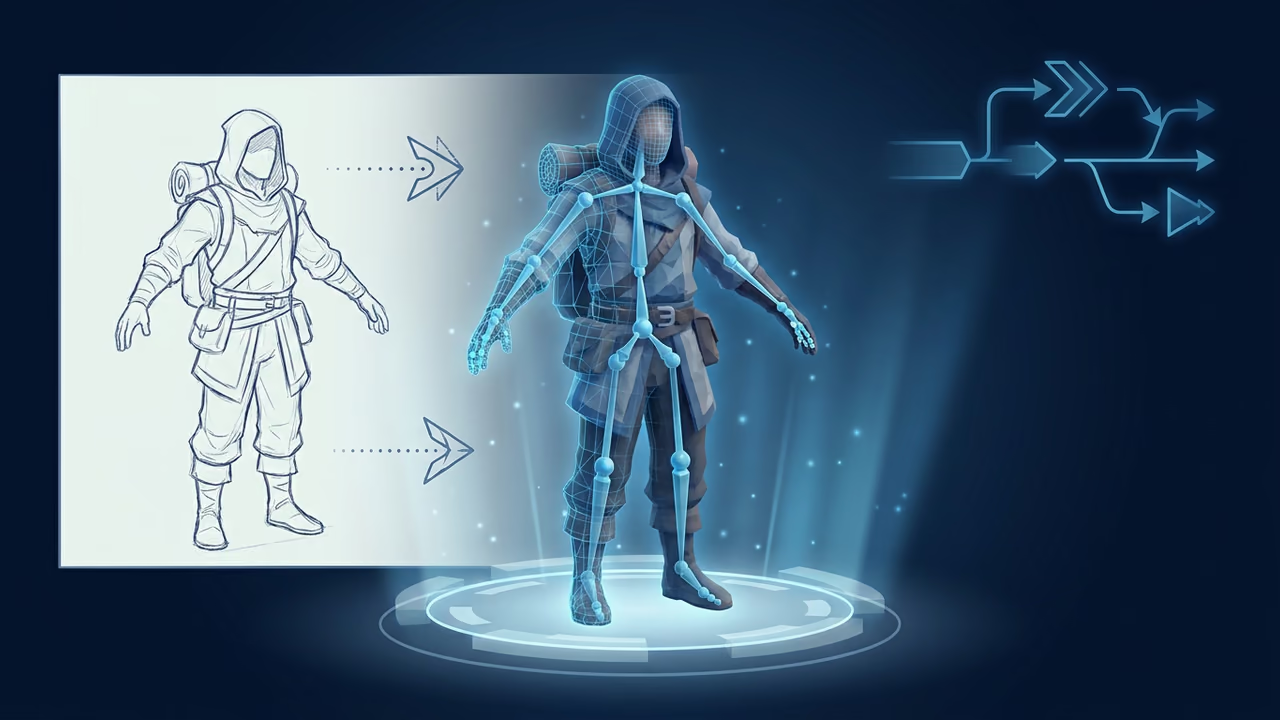
This guide walks through the practical path: generate the model from text or an image, bring the triangle count down to something real-time friendly, then export it twice, as GLB for the web and as USDZ for AR previews. It closes with a handoff checklist and the plan limits that apply.
Why AR and Web Need Different Exports Than 3D Printing
Sloyd's export dialog does not present one flat list of formats. It splits them by what you are exporting for, and the two relevant panels have no overlap in their recommendations.
| Export use case | Header | Formats | Recommended |
|---|---|---|---|
| Game Dev | Export for Unity, Unreal, Godot | glb, fbx, obj, OBJ + MTL, usd, usdz, blend | glb |
| 3D Print | Export for slicing and print | 3mf, stl, obj, ply, blend | stl |
The split exists because the two destinations care about different parts of the model. A slicer only needs a surface it can turn into toolpaths, which is why Sloyd's format notes list the print formats 3MF, STL and PLY as geometry without materials. An AR or web viewer renders the model with lighting, so it needs the surface description as well: base color, metalness, roughness, normals. That is what GLB and USDZ carry and what the print formats drop.
So the AR and web path runs through the Game Dev panel, not the 3D Print one, even when nothing about your project is a game. The panel is named for the engines it was built around, and its format set is the real-time set.
If you want the wider tour of what each 3D file type is for, including the print side, our guide to Sloyd's export formats for any use case covers that ground. This post stays on the two formats that matter for AR and the browser.
Generate an Asset That Can Run in Real Time
Two generation paths get you a model in the browser: describe it with text to 3D, or upload a reference photo and use image to 3D. Both finish with the same thing, a model in your account that the export dialog can turn into any of the formats above.
Real-time rendering is where the difference between "a 3D model" and "a usable 3D model" shows up. A phone running an AR preview is rendering your model next to a live camera feed, and a product page is rendering it inside a browser tab that the visitor expects to load quickly. Both reward a lean mesh.
Use the Triangles slider instead of guessing
Sloyd's mesh editor includes a Triangles slider. Drag it and the triangle count updates live next to the label, and the slider's own tooltip shows the count you would land on at that position. If a model has nothing that can be reduced, the panel says so directly rather than silently doing nothing.
That live count is the part worth using. Pick the budget from your destination first, then pull the slider until the count fits, then look at the model to check the silhouette survived. Our post on mesh modifiers for decimating and reshaping AI 3D models goes through that panel in detail, and the polygon count glossary entry explains how the number relates to what the GPU does.
What budget? There is no honest universal answer, and anyone quoting one number for "mobile AR" is guessing on your behalf. Platforms that publish a hard limit are the exception, and they are worth using as calibration: Sloyd's Roblox plugin panel lists Roblox's limits as 20,000 triangles and PBR textures up to 1024 by 1024. For an AR preview or a product page, the limit is whatever your slowest target device renders smoothly, which means testing on that device.
Export GLB for Web Viewers and WebGL Pipelines
GLB is the recommended format in the Game Dev panel, and Sloyd's own format notes describe it as web native, compact, fast loading and widely supported. It is a single binary file holding geometry, PBR materials and textures, and it supports animation. It also arrives triangulated, with no quads, which is exactly what a renderer wants.
A GLB is the glTF family's binary container. If the GLB and glTF distinction is new, the GLB and glTF glossary entry is the short version.
Once you have the file, putting it on a page is standard web work and nothing in it is Sloyd specific:
- The
<model-viewer>web component is the lowest-effort option for a single object. You point it at the GLB file and get an interactive viewer with camera controls. See modelviewer.dev (checked 9 November 2026). - three.js gives you a full WebGL scene: your own lighting, environment maps, post effects, several models at once, interaction logic (checked 9 November 2026).
- Babylon.js is the other mature option in the same space, with its own scene graph and tooling (checked 9 November 2026).
The same file is also the asset format WebXR projects consume, since a WebXR session still renders through WebGL or WebGPU and still needs models from somewhere. That part lives in your application code. Sloyd produces the GLB, it does not ship a WebXR runtime or an AR session of its own.
One practical note on hosting: GLB is a binary file, so serve it with a sensible content type and caching, and expect the first load to cost whatever the file weighs. The compact, fast-loading description in Sloyd's format notes is relative to the alternatives, not a promise about your page budget. Weigh the file and decide.
Export USDZ for Apple AR Quick Look-Style Previews
USDZ is in the same Game Dev format list as GLB, and it carries geometry, PBR materials, quads and animation. Sloyd's format catalog describes it as a compressed, single-file USD variant for easy sharing and AR, which is the reason it exists: USD is a pipeline format built for large collaborative scenes, and USDZ packages one of those scenes into a single file you can hand to someone.
The AR relevance comes from the ecosystem that reads it. Apple's developer documentation states that built-in apps such as Safari, Messages, Mail, News and Notes use Quick Look to display USDZ files of virtual objects in 3D on iPhone, iPad and Apple Vision Pro (Quick Look Gallery, checked 9 November 2026).
Read that split carefully, because it is the whole shape of this workflow:
- Sloyd's part is producing the USDZ file from your generated model.
- Apple's part is the AR preview, which happens on a supporting device, in a supporting app, when that file is opened or linked from a page.
Sloyd does not host AR sessions, does not run Quick Look and is not an AR app. It is the generator at the start of the chain. Once the file exists, you put it where the preview can happen: served from your own site behind a link, attached to a message, or wired into whatever AR surface your platform provides.
Pick USDZ, not USD
Both are in the list, and the difference matters here. In Sloyd's format catalog, USD is listed with materials set to none, while USDZ carries full PBR materials. A plain USD export will reach the viewer with geometry and no surface description. For any AR preview where the object should look like the object, export USDZ.
Where this pays off
The clearest case is retail. A shopper who can place a lamp on their own floor is making a size and style decision that photos cannot support, and the same generated model also feeds the spinning viewer on the product page. Our e-commerce use case page covers that side, and the only extra work is exporting the asset twice from the same model.
Share a Viewer Link Instead of Sending a File
Sometimes the handoff is not a file at all. The Embed action on the model toolbar opens the export dialog directly on a Web Embed panel, headed "Share a 3D viewer". It is not one of the tabs in the dialog's sidebar, so the Embed button is how you reach it. The panel shows two things for the selected model, each with its own copy button: a viewer URL and a matching iframe snippet.
The controls are small and concrete:
- Width (px) and Height (px), accepting 300 to 2000 and 200 to 2000 respectively, defaulting to 800 by 600.
- Allow fullscreen, on by default, which lets viewers expand the viewer.
- Loading mode, a switch between instant load, where the model loads when the page opens, and press play to load, where it waits for a click. It defaults to press play to load, and the panel's own guidance is that deferred loading saves bandwidth and suits anything that is not a hero element.
The snippet it copies is a plain iframe pointing at a viewer URL on Sloyd's app domain, carrying your width, height, fullscreen and loading-mode choices as parameters. Paste it into a CMS, a docs page or an internal wiki and the viewer appears.
One limit to be clear about: this is a 3D viewer, not an AR view. Nothing in the embed starts an AR session, and the USDZ path above is still the one for AR.
The Handoff Checklist
Before you publish either file, walk this list. Most AR and web problems trace back to one of these five.
- Scale. An AR viewer places the model at the size the file says it is, so a model that is slightly off reads as a toy or a monument when it lands on someone's floor. Check the size in the destination viewer, not in the editor, and check it on the AR path specifically.
- Materials travel with the format. GLB and USDZ carry PBR materials. OBJ carries none, which is why the list offers OBJ + MTL as a separate entry that bundles the OBJ, its material file and the textures in a ZIP. Plain USD carries none either. If the model arrives grey, the format is usually the reason.
- Animation. GLB, FBX, USD, USDZ and BLEND carry animation in Sloyd's format notes. OBJ and OBJ + MTL do not. If the asset moves, neither OBJ variant is an option.
- Triangles and quads. GLB comes triangulated. USDZ, FBX, OBJ and USD keep quads. Triangulated is what you want for rendering; quads matter if the model passes through a modeling package first.
- Polygon budget, measured. Set the budget from the destination, hit it with the Triangles slider, then test on the weakest device you care about. A model that is fine on a desktop GPU and janky on a three-year-old phone has failed the AR test, and you only find that out by looking.
A sixth item, if you are shipping both files: export them from the same finished model rather than regenerating. The GLB and the USDZ should be the same object, otherwise the AR preview and the page viewer slowly drift apart as the asset gets revised.
Export Format Reference
The Game Dev panel's full set, with the properties Sloyd records for each:
| Format | Materials | Quads | Animation | Sloyd's note |
|---|---|---|---|---|
| glb | PBR | No | Yes | Web native. Compact, fast-loading, widely supported |
| fbx | PBR | Yes | Yes | Robust DCC/game-engine format |
| obj | None | Yes | No | Widely supported legacy format |
| OBJ + MTL | PBR | Yes | No | OBJ + MTL + textures bundled in a ZIP |
| usd | None | Yes | Yes | Scalable 3D format built for complex, collaborative pipelines |
| usdz | PBR | Yes | Yes | Compressed, single-file USD variant for easy sharing and AR |
| blend | PBR | Yes | Yes | Blender native format |
For AR and the web, two rows of that table do the work: glb and usdz.
What the Free Plan Covers
The Guest plan is free and lists 1 free generation per day, downloads of community models, unlimited template customization in-browser, standard export formats (GLB and OBJ) and a personal-use license. That is enough to see whether an AI 3D generator produces assets you would actually ship.
Where it stops is the download of your own generation. Exporting a model you generated, in any format, opens a subscribe prompt rather than a file, and that includes the USDZ you would want for an AR preview. The free exception is the community gallery: those models download without a subscription.
Two more things worth knowing before you plan a project around this:
- Licensing follows the plan. Guest is a personal-use license. Commercial use comes with Plus, and Pro adds reselling. If the asset is going on a storefront or into a client deliverable, that distinction is the one to check first on the pricing page.
- Audio and video generation are paid features and sit outside this workflow entirely. Nothing in the AR and web path above touches them.
Two Files, One Model
The workflow is short once the shape of it is clear. Generate the model from text or an image. Pull the triangle count down to a budget you took from the destination rather than from a blog post. Export GLB for the browser and hand it to model-viewer, three.js or Babylon.js. Export USDZ for the AR preview and host it where a supporting device can open it. Check scale, materials and animation against the format before you publish either one.
What Sloyd contributes is the generator and the two exports. The AR preview and the web viewer are the ecosystems on the other side of the handoff, and the reason GLB and USDZ are worth exporting is that those ecosystems already know what to do with them.