Turn a prompt into an animation-ready sprite sheet
Describe a character or upload a reference image and get a pixel-art walk or run cycle, or a one-shot attack or jump animation, laid out on a clean 4-column grid. Preview the animation, drop the frames you don’t want, and download the sheet with every frame as a separate PNG.
One consistent character across every frame
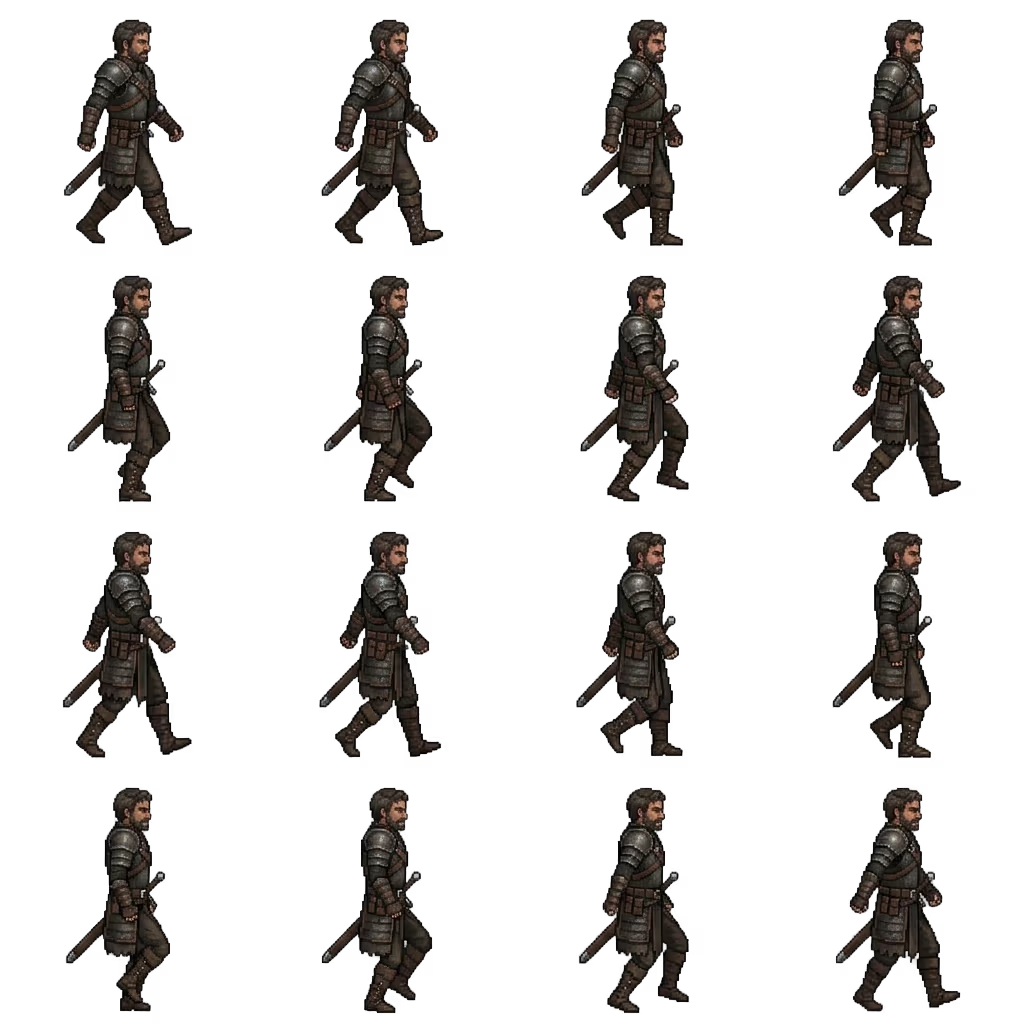
The hardest part of an AI sprite sheet is keeping the same character in all 16 cells. Sloyd locks identity, outfit, palette, proportions, camera, and scale to the opening pose, then varies only the pose, so the sprite doesn’t redesign itself halfway through the animation.
A grid your engine can already slice
Every sheet is a uniform 4-column grid with no gutters, borders, or labels, read left-to-right and top-to-bottom in playback order. Slice it with Unity’s Sprite Editor, Godot’s SpriteFrames, GameMaker, Phaser, or Aseprite without cropping cells by hand.
Motion that reads as motion
Arms and legs work through the full action instead of sitting frozen while the character slides. Walks and runs cover contact, passing, and push-off before returning to the opening pose; attacks and jumps progress through a complete one-shot arc.
Built for 2D game animation, not generic image grids
Frame counts, pose timing, and alignment are all fixed before generation starts, with looping built into walk and run cycles. What comes back is an animation sheet, not four pictures that happen to sit next to each other.
Start from a prompt, a reference image, or both
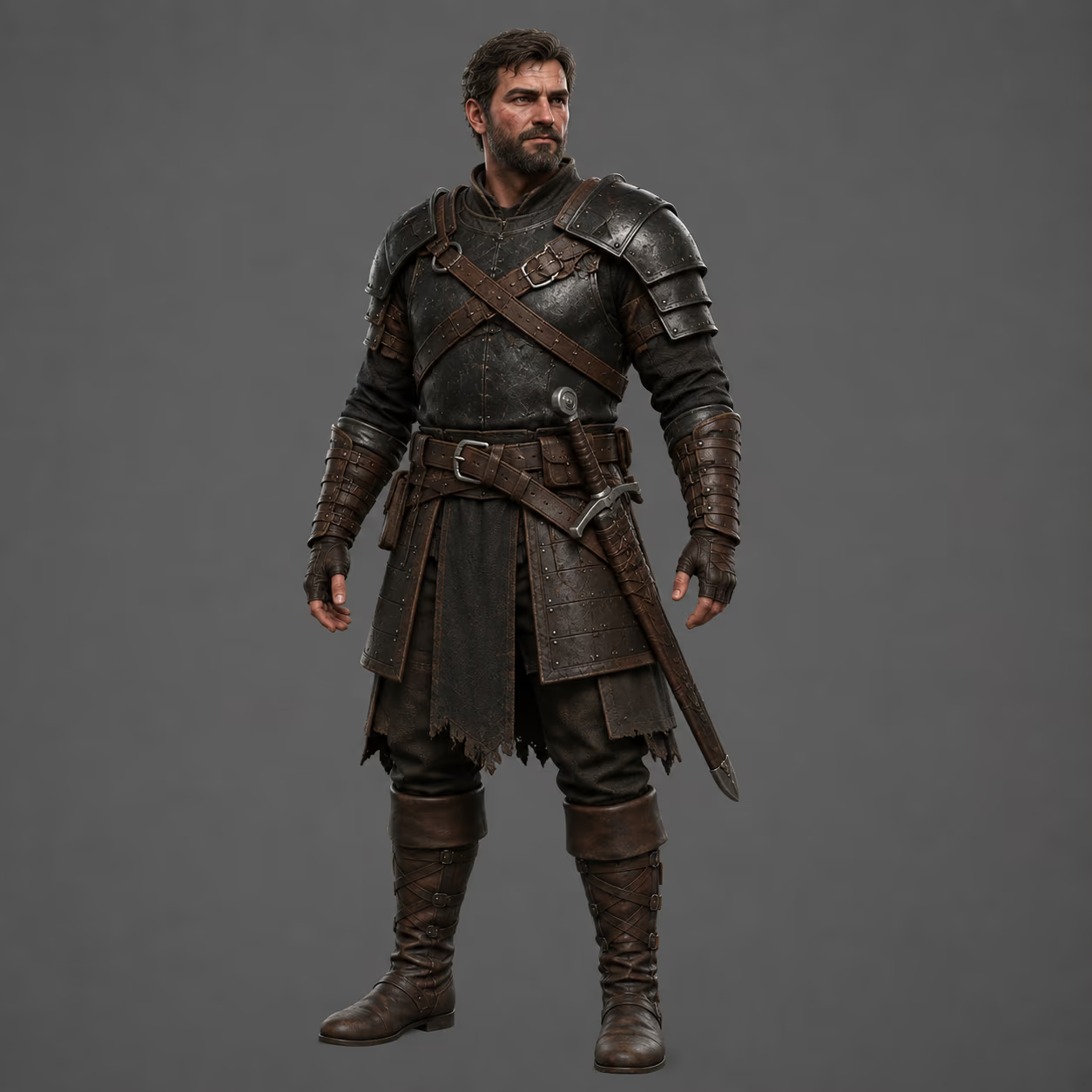
Write a description and the generator builds the character from scratch. Upload a PNG, WebP, or JPEG instead and it redraws your existing character as pixel art across the animation, keeping the outfit, colors, and equipment you already designed. Combine the two when you want a reference silhouette with a new description on top.
- Reference image is optional: a prompt alone is enough
- Prompt is optional when you upload a reference
- Accepts PNG, WebP, and JPEG references
- Weapons, armor, and accessories carry through to every frame
Preview the animation, cut frames, then download
The sheet comes back with the background removed and plays straight away as an animation at 12 fps. Reorder frames, exclude the ones that didn’t land, and the download repacks the sheet around your selection so excluded frames never ship. You get a ZIP with the packed sheet, every frame as its own transparent PNG, and a metadata file describing rows, columns, frame size, and fps.
- Transparent PNG output, no matte to key out
- spritesheet.png plus frames/frame-01.png through frame-16.png
- metadata.json with rows, columns, frame size, frame count, and fps
- Frame editor runs before export, not after
How to make a sprite sheet with AI
- 1
Describe your character
Open the Spritesheet Generator and write what you want, for example “a burly Norse viking with a braided red beard, a round wooden shield, and a bearded axe”. Or upload a reference image of a character you’ve already designed and skip the prompt.
- 2
Pick the animation, frames, and direction
Choose walk, run, attack, or jump, then 12 frames on a 4×3 grid or 16 frames on a 4×4 grid, and set the facing direction to left or right. More frames means smoother motion at the same playback speed.
- 3
Preview, trim, and download
Preview the animation at 12 fps, drop or reorder any frame you don’t want, then download the ZIP. Slice spritesheet.png on the grid in your engine, or drop the individual frame PNGs straight into an animation timeline.
Frequently Asked Questions
What is a sprite sheet?
A sprite sheet is a single image holding every frame of an animation on a fixed grid. Game engines load the one image, slice it into equal cells, and play the cells in order, which is cheaper than loading a separate texture per frame. Sloyd outputs a uniform grid with 4 columns and no gutters, so slicing is exact.
How many frames can I generate?
Twelve frames on a 4×3 grid or sixteen frames on a 4×4 grid. Sixteen gives you smoother motion at the same playback speed; twelve is lighter and matches classic hand-animated walk cycles.
Which animations are available?
Walk, run, attack, and jump, each facing left or right. Every one has a hand-built pose guide behind it, which is what keeps the character consistent from frame to frame instead of drifting across the sheet.
Do I need a reference image?
No. A text description on its own is enough. A reference image is useful when the character already exists and you want the sheet to match its outfit, palette, and equipment. In that case you can leave the prompt empty and let the image do the describing.
What do I get when I download?
A ZIP containing spritesheet.png (the packed grid), a frames folder with each frame as its own transparent PNG, and metadata.json listing rows, columns, frame count, frame size, sheet size, and fps. If you excluded frames in the editor, the sheet is repacked around your selection so the archive stays internally consistent.
Can I use the sprites in Unity, Godot, or GameMaker?
Yes. Because the sheet is a uniform grid, you can import spritesheet.png and slice it by cell count in Unity’s Sprite Editor, Godot’s SpriteFrames, GameMaker’s sprite importer, Phaser, or Aseprite. The metadata file gives you the rows, columns, and frame size those importers ask for. Individual frame PNGs work anywhere that takes an image sequence.
Are the sprites transparent?
Yes. The background is removed before the sheet reaches you, so both the packed sheet and the individual frames are transparent PNGs ready to composite over a level.
Will the character stay consistent across frames?
That is the main thing the generator is tuned for. One identity, outfit, palette, pixel density, camera, and scale is held across every cell, and every pose is aligned to the same origin and ground line, so the sprite doesn’t drift, resize, or redesign itself between frames.
Can I add sound effects to my sprite animations?
Yes. Describe the footstep, swing, or impact you need in the AI sound effect generator and download each take as an MP3, so your walk and attack cycles get matching game sound effects.