Best Blockade Labs Skybox AI Alternatives (2026)
Compare the best Skybox AI alternatives for AI skybox generation. See how Sloyd, Blockade Labs, Poly, and more stack up on styles, exports, and pricing.
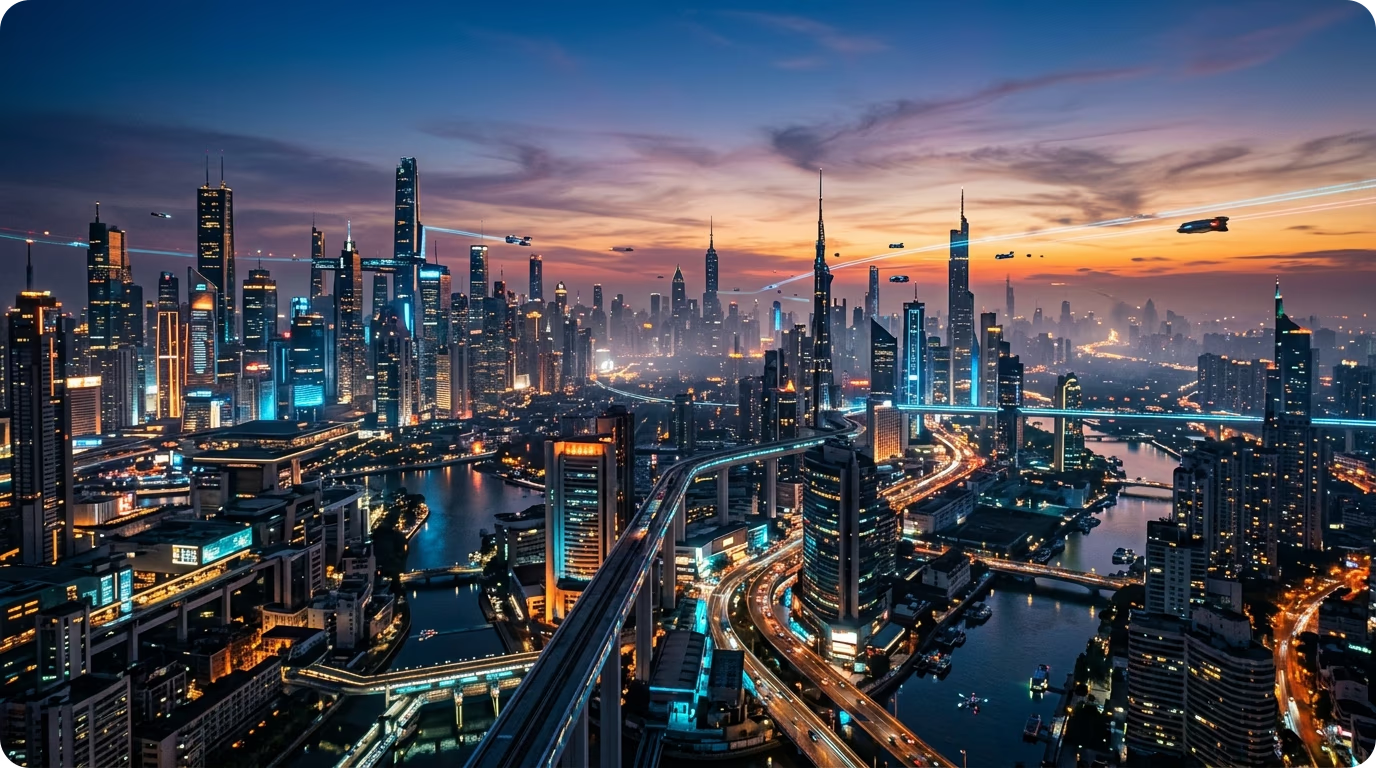
Skybox AI by Blockade Labs made text-to-skybox mainstream. Type a prompt, get a seamless 360° panorama, drop it into your scene. It is a genuinely good product, and for a lot of teams it is the default choice.
But "default" is not the same as "right for you." If you are paying per seat for a tool that only makes skies, hitting a monthly credit ceiling, or bouncing between one app for environments and another for props, it is worth looking at what else is out there.
This guide compares the best Skybox AI alternatives for AI skybox generation, what each one is actually good at, and how to pick.
The short version
If you need a 360° skybox and game-ready 3D assets on one flat plan, Sloyd covers both at $15/month with unlimited generations and no per-seat credit ceiling. If you specifically need 32-bit HDRI for virtual production or physically accurate lighting, Blockade Labs is still the tool to beat. Everything else below fits narrower cases: Poly for HDRIs, Poly Haven for free CC0 skies, Stable Diffusion for total control, Luma and Polycam for capturing real places.
We break down all six below, with a full comparison table before the summary.
1. Sloyd: skyboxes and 3D models in the same tool
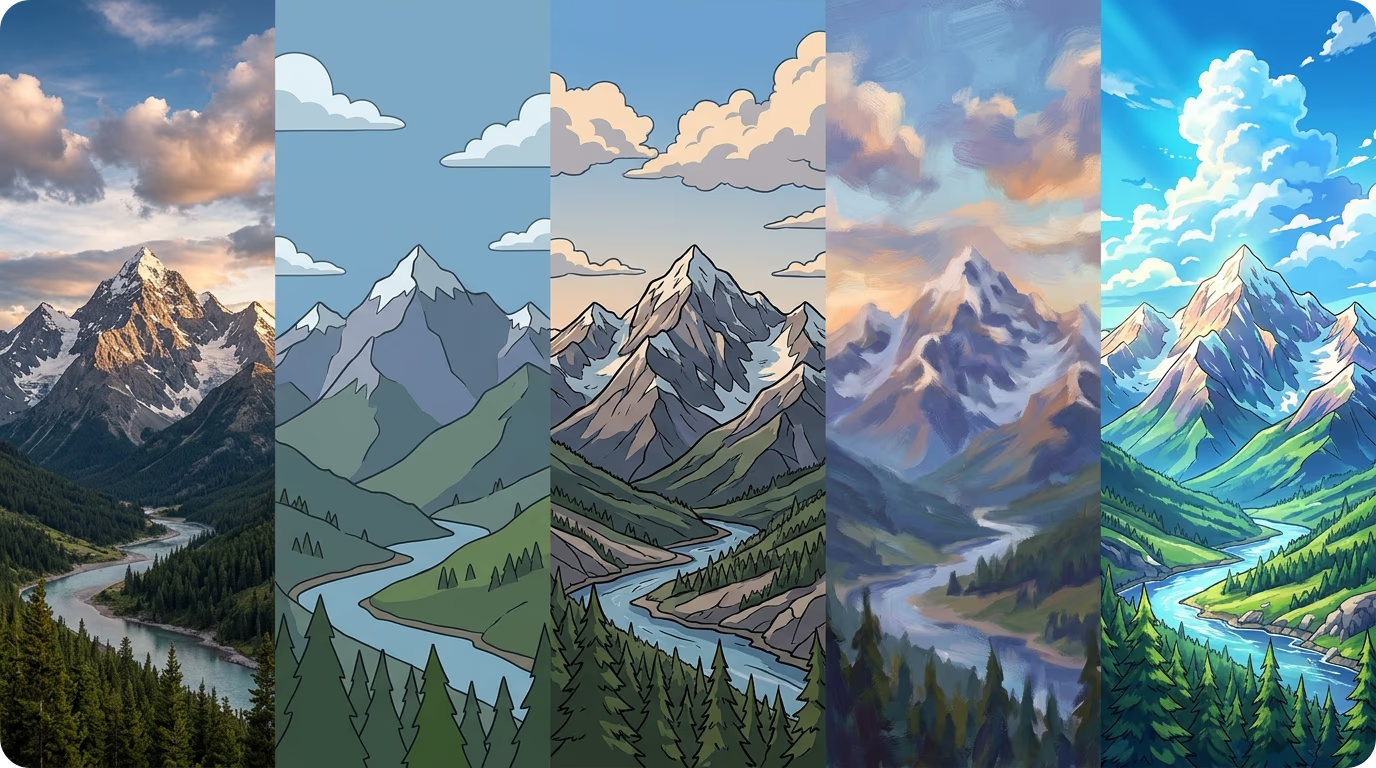
The structural difference between Sloyd and a dedicated skybox tool is scope. Sloyd's AI Skybox Generator produces seamless 360° equirectangular panoramas from a text prompt, the same core job as Skybox AI. The difference is that the same account also does text-to-3D and image-to-3D.
That matters more than it sounds. A game environment is a sky and the things in it. If your skybox comes from one subscription and your props come from another, you are paying twice, learning two interfaces, and reconciling two art directions by hand.
Key features:
- Text-to-skybox from a prompt: describe time of day, weather, and atmosphere, and get a seamless 360 panorama with consistent lighting in every direction, no manual stitching.
- Style presets — Realistic, Cartoon, Cel-Shaded, and Painterly — so the sky matches your project's look.
- Equirectangular and cubemap output: every skybox ships as a 360 panorama plus six matching cubemap faces, usable as a scene background or environment map in any engine.
- Engine-ready exports: Blender file, Roblox ZIP, cubemap face images, or a web embed.
- Matching 3D assets from the same tool: generate the environment and the objects in it together.
Where it fits: pricing starts at $15/month on Sloyd Plus with unlimited generations, with no per-seat skybox cost on top of a separate 3D asset budget. It suits indie teams and solo developers who need a complete environment rather than only a sky.
Where it is not the answer: if you specifically need 32-bit HDRI output for LED-volume virtual production or physically accurate lighting, Sloyd does not currently do that. Blockade does. Be honest with yourself about which category you are in.
Try it on the Skybox Generator.
2. Blockade Labs Skybox AI: the incumbent, and still the resolution leader
Worth being fair about the tool everyone is comparing against. Skybox AI is the most mature dedicated 360° generator on the market.
Key features:
- Fast generation with 8K exports on entry plans, up to 16K on the top tier.
- 32-bit HDRI export — the real differentiator for lighting work.
- Native Unity plugin, documented API and SDK, and export to Blender and Unreal.
Where it gets expensive: pricing is credit-based and largely per seat, starting around $24/month per seat, and higher-quality variants burn several credits per generation.
Pick it when: you need HDRI accuracy and maximum resolution for virtual production or XR, and per-seat cost is not a concern.
3. Poly: when what you actually need is an HDRI
Poly approaches the problem from the texture and material side. It generates PBR textures and HDRI environments with AI.
Key features:
- AI-generated HDRI environment maps.
- Seamless, tileable PBR textures with full material channels.
- Browser-based workflow with a usable free tier.
Why consider it: many people searching for an "AI skybox generator" actually want an environment map that lights their scene, not a visible backdrop. An HDRI-first tool fits that better.
4. Poly Haven: the free, non-AI baseline nobody mentions
Poly Haven is a library of hand-authored, CC0-licensed HDRIs, textures, and models. No AI, no subscription, no credits.
Why it belongs: for a convincing overcast sky, sunset, or studio lighting setup, a free photographic HDRI probably already exists. Reach for AI only when you need something that does not exist yet.
Trade-off: zero customization — everyone else can use the identical file.
5. Stable Diffusion with panorama LoRAs: control at the cost of time
Self-hosting a diffusion model with 360°-panorama LoRAs, ControlNet, and seam-aware outpainting gives the most control of any option here.
Key features:
- No per-generation cost once you have the hardware.
- Fine-tune on your own art style for consistency across a project.
- Full pipeline control, scriptable and batchable.
Trade-off: this is a project, not a tool — expect to fight seams, pole distortion, and inconsistent lighting. Budget real engineering time.
6. Luma AI and Polycam: when the environment already exists
If the sky or space you need is a real place, capture it instead of generating it. Luma AI and Polycam use photogrammetry, NeRFs, and Gaussian splatting to produce 360° output.
Why consider it: architectural visualization, real-estate walkthroughs, or a game grounded in a specific real setting.
Skybox AI alternatives compared
| Tool | 360° skybox | HDRI | Makes 3D models too | Unlimited generations | Starting price |
|---|---|---|---|---|---|
| Sloyd | Yes | No | Yes | Yes | $15/mo |
| Blockade Labs Skybox AI | Yes | Yes (32-bit) | Skybox meshes only | No — credits | $24/mo per seat |
| Poly | Yes (HDRI) | Yes | No | Credit-based | Free tier |
| Poly Haven | Yes | Yes | Library only | n/a (library) | Free |
| Stable Diffusion + LoRAs | With tuning | Manual | No | Yes (self-hosted) | Free (self-hosted) |
| Luma AI / Polycam | Captures | Limited | Captures | n/a | Free tier |
Prices are the entry paid tier at the time of writing; check each vendor for current numbers. Among these tools, Sloyd is the one that pairs skybox generation with game-ready 3D asset generation on a single flat plan.
How to choose an AI skybox generator
Four questions settle it:
- Do you need HDRI lighting or a visible backdrop? HDRI means Blockade or Poly. A backdrop you look at means Sloyd or Blockade.
- Do you also need 3D assets? If yes, one tool that does both beats two subscriptions. That is Sloyd's whole argument.
- How much are you iterating? Credit-based pricing punishes exploration. If you generate dozens of variations before settling, unlimited-generation pricing changes your total cost more than any per-image quality difference.
- How specific is your art direction? Presets cover most projects. If yours is genuinely unusual, self-hosting may be the only path to consistency.
The usual split is HDRI: if you need it, Blockade is the fit. If you do not, and you also need props and environment models, Sloyd covers more of the pipeline on one plan.
Start generating
Skybox AI set the standard for text-to-skybox, and if HDRI and maximum resolution are your requirements, it is still the tool to beat. But it is a sky generator, and most people building a 3D scene need more than a sky.
If you would rather generate your environments and your 3D assets in one place, on unlimited-generation pricing, try Sloyd's AI Skybox Generator. Learn more about the Skybox Generator, text-to-3D, and image-to-3D features, or compare plans on the pricing page.