Text-to-3D Prompts: Aligning Text and 3D Models
Craft text-to-3D prompts with image references and parametric controls to produce accurate, production-ready 3D models.
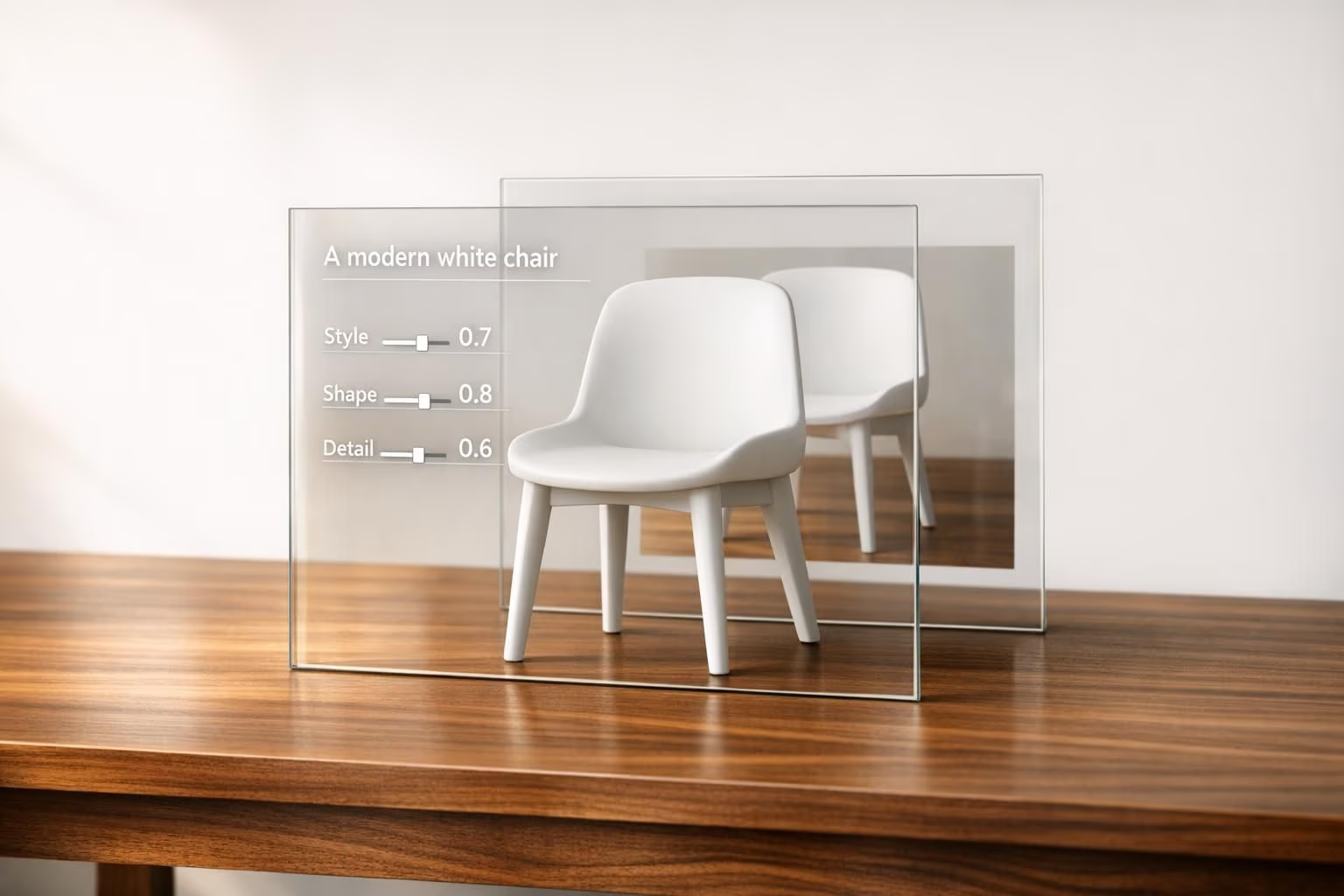
Text-to-3D tools let you create 3D models from written descriptions. While convenient, they face challenges like misalignment between text inputs and the resulting 3D models. This often leads to issues like incorrect geometry, mismatched styles, or flawed details. Combining text prompts with visual references (multimodal alignment) helps bridge these gaps, producing more accurate and game-ready 3D assets. Platforms like Sloyd offer workflows and tools to improve precision, including parametric controls and style presets for production-ready results.
Key Points:
- Text-to-3D Basics: AI generates 3D models from text descriptions, automating tasks like geometry and texturing.
- Challenges: Misalignment issues arise from vague inputs, resulting in inaccurate or incomplete models.
- Solutions: Multimodal alignment pairs text with reference images for better results.
- Sloyd's Approach: Combines generative AI with parametric tools for precision and supports multiple export formats for various use cases.
This approach helps designers and developers create 3D assets faster and with less manual effort.
Challenges in Translating Text Prompts into 3D Models
Common Failure Modes in Text-to-3D Generation
Even with a carefully crafted prompt, the resulting 3D model can fall short of expectations. Several recurring issues tend to crop up, impacting real-world workflows:
| Failure Mode | Description | Impact on Workflow |
|---|---|---|
| Detail Loss | Thin elements like wires or chains often fail to render correctly | Limits the usefulness of AI for creating intricate mechanical or decorative props |
| Material Mismatch | Transparent or reflective surfaces, such as glass or chrome, are poorly handled | Requires manual adjustments for shaders and materials in game engines |
| Identity Errors | Facial features and proportions can appear rough or anatomically incorrect | Reduces reliability for primary characters or high-detail avatars |
| Scene Inaccuracy | Multi-object prompts often produce distorted spatial relationships | Necessitates generating assets individually and assembling them manually |
| Style Conflicts | Style cues like "low poly" in prompts can override preset selections in the generator | Results in unpredictable outcomes if prompt language clashes with preset settings |
These challenges underline the current limitations of text-based inputs, especially when used as the sole method for guiding 3D model creation.
Why Text Input Alone Falls Short for 3D Modeling
When you describe something like "a rusted iron gate", the AI has to make assumptions about key details - dimensions, the degree of rust, and even structural elements. These assumptions often lead to models that lack precision.
Text-based inputs are great for describing general attributes like size or texture but fall short when it comes to specifying exact geometry, proportions, or how surfaces connect. This gap often results in models with flawed topology - stray vertices, incorrect normals, or geometry that looks fine from one angle but falls apart when rotated.
Additionally, the lack of parametric control means you can't fine-tune the output. If the model isn't right, you're left with two options: regenerate it or fix it manually, both of which can be time-consuming.
The Complexity of Open-Set 3D Generation
The challenges multiply when you move beyond everyday objects into open-set scenarios. Open-set generation, unlike closed-set methods, introduces unpredictability, especially when creating unique or niche items. The less familiar the object, the less training data the AI has, increasing the likelihood of errors.
For standard objects - think barrels, crates, or swords - the AI often performs well because it has plenty of reference material. But for something more unusual, like a hybrid creature or a culturally specific artifact, the results are far less dependable. This is the trade-off with open-set generation: while it offers more creative freedom, it sacrifices predictability and reliability. The broader the creative scope, the harder it becomes to ensure the output matches your vision.
sbb-itb-d35aaa6
ReSpace: Text-Driven 3D Indoor Scene Synthesis and Editing with Preference Alignment
Solutions: Using Multimodal Semantic Alignment
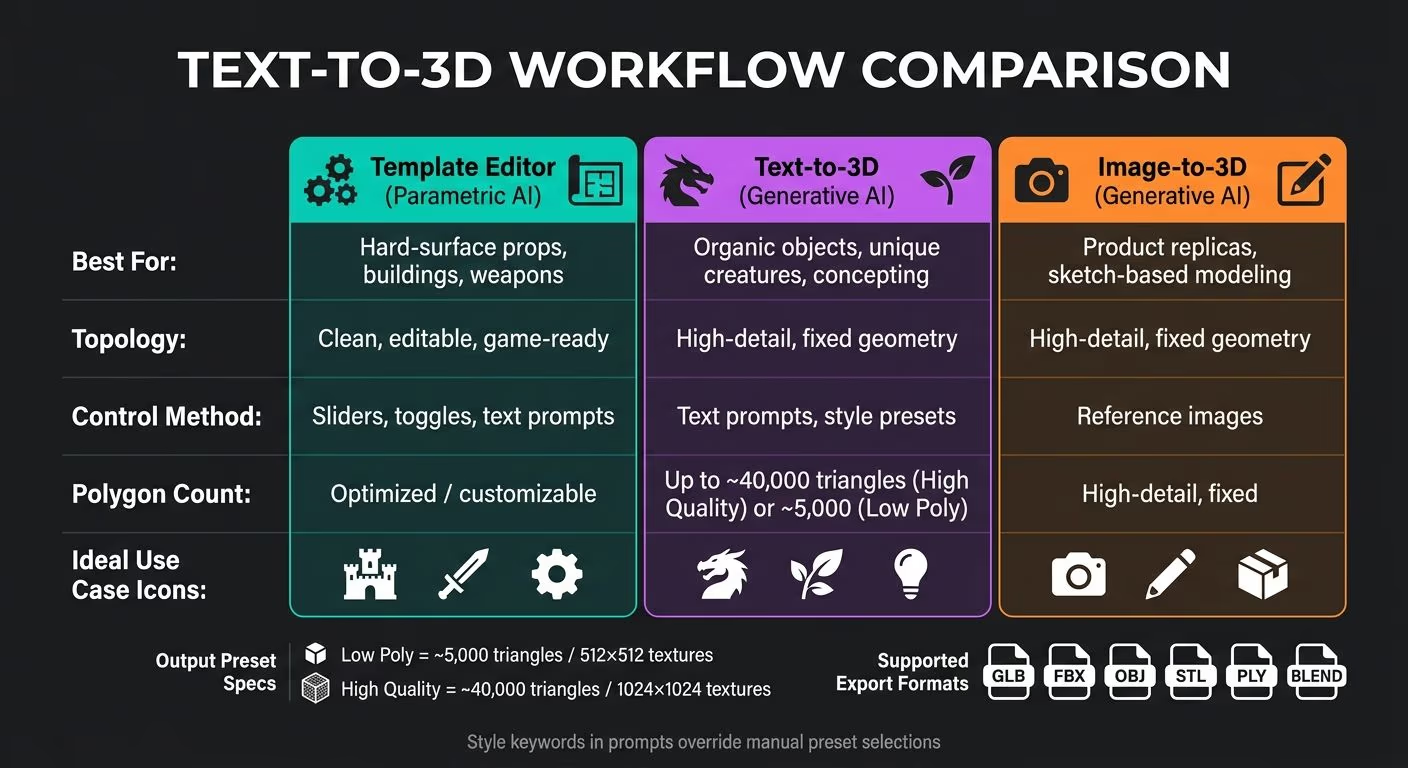
Text-to-3D Workflow Comparison: Which Method Is Right for You?
What Is Multimodal Semantic Alignment?
Multimodal semantic alignment brings together text, images, and 3D data into a unified framework, ensuring that all inputs work in harmony to produce a cohesive output. Instead of relying on just a text prompt - which can sometimes be too vague - this method combines different input types to give the AI a more complete understanding of your design intentions. For example, a text prompt might outline what to create, while a reference image provides clarity on how it should look. This combination minimizes guesswork and allows for more precise and detailed 3D outputs.
How Multimodal Alignment Leads to Better 3D Outputs
One of the standout advantages of multimodal alignment is its ability to maintain consistent visual styles. Pre-defined style presets, such as Realistic, Cartoon, Clay Morphic, or Isometric Diorama, act as guides for the AI, helping it interpret the prompt in a specific visual context. So, if you input "ancient stone fortress", the AI generates textures and geometry that align with that style, avoiding generic results.
Output presets also help tailor the geometry to fit its intended use. For instance:
- High Quality presets create models with around 40,000 triangles and 1024×1024 textures, making them suitable for cinematic renders or concept art.
- Low Poly presets, on the other hand, reduce the complexity to about 5,000 triangles with 512×512 textures, ideal for real-time applications like VR or mobile games.
When you combine text prompts with visual references, the text defines the structure, while the image provides details like material textures and color schemes. This reduces ambiguity and ensures the final model closely aligns with your creative vision.
How Sloyd Supports Multimodal Workflows
Sloyd’s platform takes a hybrid approach to 3D asset creation. Its Text-to-3D generator can quickly turn prompts into fully textured, ready-to-use assets, handling tasks like geometry, UV mapping, and texturing automatically. For added control, the Custom Style feature allows users to upload reference images to lock in a specific aesthetic. This is particularly useful for projects requiring a consistent art style, such as video games or product collections.
Sloyd also addresses alignment challenges by merging generative techniques with parametric controls. For assets that require precise, editable topology - like weapons, buildings, or other hard-surface props - the Template Editor offers a parametric solution. Using sliders, toggles, and text prompts, users can fine-tune handcrafted templates to produce predictable, game-ready geometry. This workflow is perfect for precision-heavy designs, while generative tools excel at creating organic shapes or rapid concepts.
| Workflow | Best For | Topology | Control Method |
|---|---|---|---|
| Template Editor (Parametric AI) | Hard-surface props, buildings, weapons | Clean, editable, game-ready | Sliders, toggles, text prompts |
| Text-to-3D (Generative AI) | Organic objects, unique creatures, concepting | High-detail, fixed geometry | Text prompts, style presets |
| Image-to-3D (Generative AI) | Product replicas, sketch-based modeling | High-detail, fixed geometry | Reference images |
These workflows ensure that every asset meets production standards. Models can be exported in popular formats like .glb, .fbx, .obj, .ply, .blend, and .stl, making them easy to integrate into most production pipelines.
How to Write Effective Text-to-3D Prompts
How to Structure Prompts for Better 3D Results
Keep your prompts focused on a single object. Trying to generate full scenes or multiple items in one go often leads to messy and inaccurate geometry. A well-written prompt should include four key elements: the object type, its visual style, material, and intended use. For example, "a bulky, ancient stone throne in low poly style for a mobile game" gives the AI all the necessary details - what the object is, how it should look, what it's made of, and its purpose. Including the intended use, like specifying it's for 3D printing or mobile games, helps the system optimize the output. For instance, a mobile game asset might result in a lightweight model with around 5,000 triangles and 512×512 textures, while a 3D printing model might focus on a solid, texture-free mesh.
One important tip: style keywords in your prompt will override any manual preset selections. If you include terms like "low poly" in your text, it takes precedence over the style preset you've chosen in the tool. To ensure a specific look, always mention it directly in your prompt.
This structured way of writing prompts aligns with the multimodal techniques discussed earlier, ensuring your instructions clearly communicate both the shape and purpose of the asset.
Pairing Text Prompts with Visual References
After crafting a detailed text prompt, you can make it even more effective by adding a visual reference. While text does a great job of describing what to create, it often falls short in conveying how it should feel - things like mood, art direction, or surface details. This is where reference images come into play.
Using Sloyd's Custom Style feature, you can upload an image alongside your text prompt. The text focuses on structure, while the image captures the aesthetic. This combination is especially helpful when you're creating a set of related assets - like crates, barrels, and torches - for a single project. The reference image acts as a style guide, ensuring all the assets share a cohesive look without requiring you to repeatedly describe the art direction.
Refining Prompts Through Iteration
Rarely will your first attempt produce a perfect result. Think of the initial output as a starting point. Review it carefully, identify what needs improvement, and tweak your prompt one element at a time. For example, if the shape is correct but the material or style feels off, refine your description by adding more specific details, such as "vinyl figure" or "hand-painted stylized".
Keep in mind that current AI tools often struggle with certain features, such as reflective materials, intricate details, or complex facial expressions. If your prompt relies heavily on these, you might need to simplify your description or switch to Sloyd's Template Editor. This tool allows you to manually adjust geometry with sliders and toggles, giving you more control over tricky aspects that the AI might misinterpret.
Getting to Production-Ready 3D Outputs
What Makes a 3D Model Production-Ready
Creating production-ready 3D models isn’t just about making something that looks good - it’s about meeting strict technical requirements. These standards vary depending on where the model will be used, but some key elements remain consistent.
One of the most important aspects is clean topology. Models built with quads (four-sided polygons) are much easier to edit, animate, and deform compared to those with irregular geometry. For platforms like Unity or Unreal Engine, a clean topology also ensures better performance. Another critical factor is UV mapping. Without a proper UV map, it becomes impossible to correctly apply textures, materials, or surface details.
The technical specifications for models depend heavily on their use case. For example:
- Mobile game assets typically require around 5,000 triangles and 512×512 textures.
- High-detail renders may demand up to 40,000 triangles with 1024×1024 textures.
- For 3D printing, the model must be manifold - in other words, watertight and free of any holes - so slicer software can process it without issues.
Choosing the right export format is another key step. Different formats are designed for different purposes:
| Format | Best Use Case |
|---|---|
| FBX | Game development, animation pipelines |
| GLB / glTF | Web, AR/VR, real-time applications |
| STL | 3D printing |
| OBJ | Universal exchange, static models |
By adhering to these standards, you can ensure your 3D models are ready for seamless integration into their intended platforms.
How Sloyd Delivers Production-Ready Models
Sloyd takes the complexity out of generating production-ready models by focusing on usability from the very start. Its procedural template system ensures that every model it creates has clean topology and automatic UV unwrapping, eliminating the need for time-consuming manual adjustments.
The platform also offers export presets tailored to different use cases:
- Low Poly for real-time applications like games.
- High Quality for detailed renders.
- 3D Printing for solid, manifold geometry.
Textures are embedded directly in formats like GLB, USDZ, and Blender files, while formats such as FBX and OBJ keep textures as separate files for flexibility. Sloyd also supports direct integration into major tools like Unity, Unreal Engine, and Blender, making it easy for teams to fit the models into their existing workflows. Supported export formats include GLB, FBX, USDZ, and STL.
Mike M., CEO of an animation studio, highlighted Sloyd’s ease of use:
"Easy creation, and it allows integration into other 3D software."
For those who need more control, Sloyd's Template Editor provides slider-based geometry adjustments and one-click auto-rigging, making models ready for animation right out of the gate. These features make Sloyd a powerful tool for teams seeking high-quality, production-ready 3D assets.
Key Takeaways
Producing high-quality 3D models is a process, not a single step. Text-to-3D tools work best when paired with thoughtful prompts and visual references to bridge the gap between your concept and the final model.
On the technical side, achieving production readiness means aligning polygon counts, topology, UV mapping, and export formats with the requirements of the target platform - whether it’s a mobile game, a web application, or a 3D printer. Sloyd combines generative AI with procedural templates to balance creative freedom with the precision needed for production-ready results.
FAQs
When should I use text-only vs adding a reference image?
When working on creative concepts, organic shapes, or fantasy designs where precise visual consistency isn’t a priority, text-only prompts are an excellent choice. They allow you to quickly generate models based purely on descriptions, making them ideal for brainstorming or exploring imaginative ideas.
However, if you need the model to align with a specific style, color palette, or aesthetic, including a reference image is key. This approach helps maintain a unified look across assets, which is especially useful for projects like games or themed designs where visual harmony is essential.
How do I stop style keywords in my prompt from overriding presets?
To maintain consistency in your 3D model's style, it's essential to manage your prompt carefully. Including terms like "low poly" or "realistic" can conflict with pre-selected style presets and may override them. Instead of relying on such keywords, take advantage of Sloyd's style presets or upload a reference image. This approach ensures the style you want remains intact throughout the Text-to-3D generation process.
What makes a model 'production-ready' for games or 3D printing?
A model is considered "production-ready" for games or 3D printing when it meets several key criteria: clean topology, optimized geometry, accurate scale, and properly applied textures or materials. This ensures the model requires little to no additional cleanup or adjustments, making it ready for immediate use.