Image to 3D for Games vs 3D Printing
Transform 2D images into stunning 3D models with AI! Learn how Sloyd.ai's Image-to-3D excels for game dev (low poly) & 3D printing (manifold).
Turning a 2D concept into a 3D reality used to require hours of sculpting, retopology, and endless tweaking. Today, AI has flipped the script. Image-to-3D technology allows creators to transform a flat picture into a workable 3D model in seconds.
But not all 3D models are created equal. A model optimized for a Unity game level has completely different requirements than one destined for a resin printer. Whether you are an indie developer or a tabletop enthusiast, understanding these differences is key to getting the most out of Sloyd.ai.
Image-to-3D for Game Development
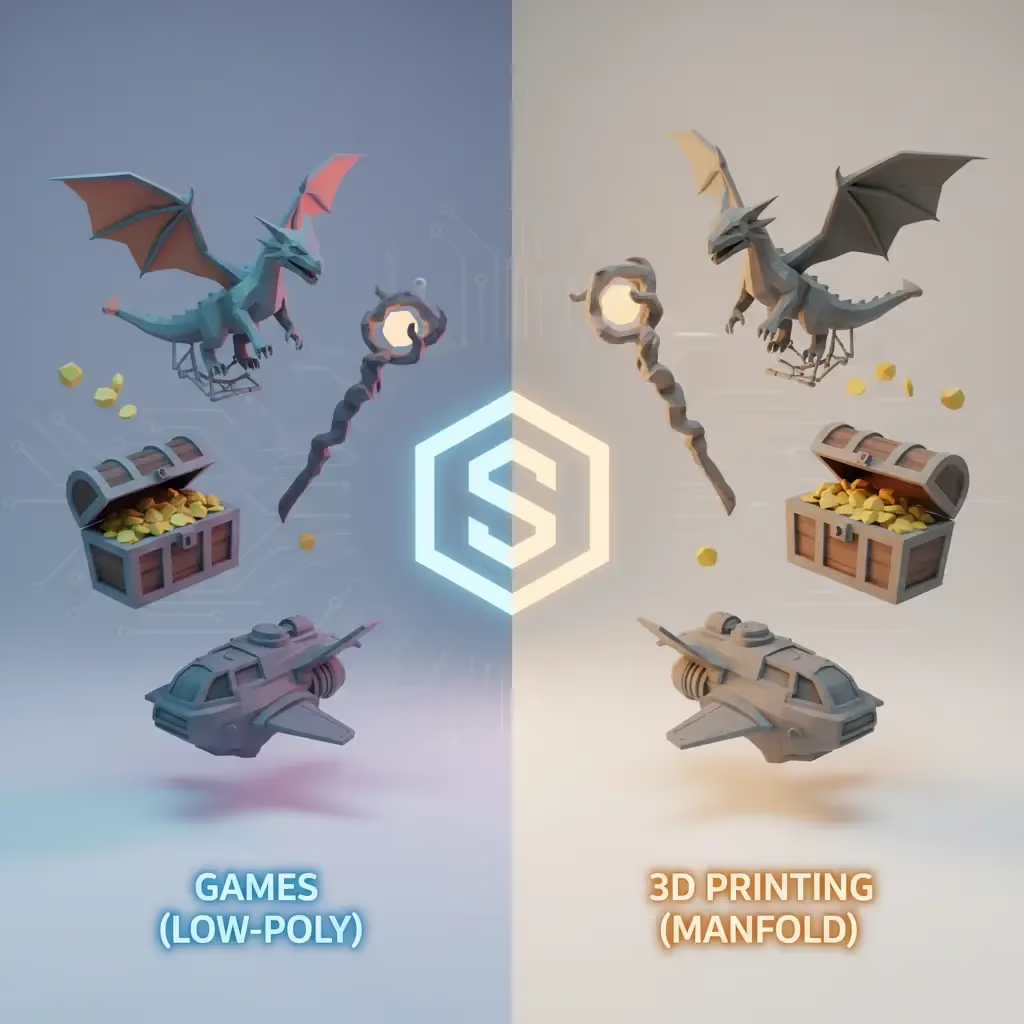
For game developers, efficiency and performance are everything. You need assets that look good but don't tank your frame rate. When using Image to 3D for games, the focus shifts to topology and poly count.
- Low Poly Counts: High-density meshes can slow down game engines. Sloyd’s "Low Poly" setting optimizes models for real-time rendering, making them perfect for background props or mobile games.
- Clean Topology: Use settings that favor Quads over random triangles. This is crucial if you plan to animate the object later, as quads deform much better during rigging.
- T-Pose Generation: If you are generating characters, ensuring they are in a T-pose is essential for easy rigging.
Sloyd’s AI tools allow you to toggle these settings instantly, ensuring your generated asset is ready for your pipeline, whether you’re using Blender, Unreal, or Unity.
Image-to-3D for 3D Printing
Physical manufacturing is a different beast entirely. Here, you aren't worried about polygon counts slowing down a GPU; you’re worried about manifold geometry—making sure the object is "watertight" so it can actually exist in the real world.
- Manifold Geometry: A model with holes or non-manifold edges will cause print failures. Sloyd’s "3D Print" preset ensures the generated mesh is solid and printable.
- Detail Retention: For printing, you often want higher poly counts to capture surface details like wood grain or stone texture.
- File Formats: While game engines love FBX, your slicer needs STLs. You can easily convert your generations using our JPG to STL or PNG to STL converter tools.
Comparison: Game Dev vs. 3D Printing Requirements
| Feature | Game Development | 3D Printing |
|---|---|---|
| Primary Goal | Efficiency & Frame Rate | Physical Solidity (Watertight) |
| Poly Count | Low (optimized for real-time) | High (retains surface detail) |
| Topology | Quads (ideal for animation/rigging) | Manifold (no holes/broken edges) |
| Key Formats | FBX, OBJ | STL |
Best Practices for Input Images
| Factor | Best Practice | Why It Matters |
|---|---|---|
| Lighting | Even, soft lighting | Hard shadows can be mistaken for geometry |
| Background | Solid white or neutral | Clutter confuses the AI model |
| Angle | Straight-on view | Clearer depth interpretation |
| Subject | Single isolated object | Avoids processing busy scenes |
Why Sloyd Stands Out
There is a crowded market of AI tools, but Sloyd offers a distinct advantage for both gamers and makers.
1. Beyond Just AI
While competitors like Meshy focus strictly on generative AI, Sloyd offers a hybrid approach. We combine powerful AI with a Template Editor. This means if the AI gets you 90% of the way there, you can use parametric controls to tweak and perfect the model. It gives you the control that pure AI generation often lacks.
2. Freedom to Iterate
Most AI modelers operate on a credit system—every mistake costs you money. Sloyd offers unlimited generations on our paid plans. This allows you to experiment freely, refining your prompts and settings without watching a credit counter tick down to zero.
3. A Full Suite of Tools
From Text to 3D to complex image conversions, everything is housed in one intuitive app. You can start with a text prompt in our Text-to-3D lab and then refine it, or upload a sketch directly to the Image-to-3D app.
Tips for Better Image-to-3D Results
To get the best results, whether for games or printing, the quality of your input image matters.
- Lighting: Use evenly lit photos. Deep shadows can be misinterpreted by the AI as dark geometry.
- Background: Keep it clean. A cluttered background confuses the model; a solid white or neutral background is ideal.
- Angles: Straight-on angles usually provide the best clarity for the AI to interpret depth.
- Single Subjects: Avoid busy scenes. The AI works best when focused on a single, clear object.
Ready to start creating? Dive into the future of modeling at Sloyd.ai.