From Concept Art to 3D Model
Turn concept art into 3D models using AI tools like Sloyd. Speed up game dev and 3D printing with Image-to-3D and Text-to-3D workflows.
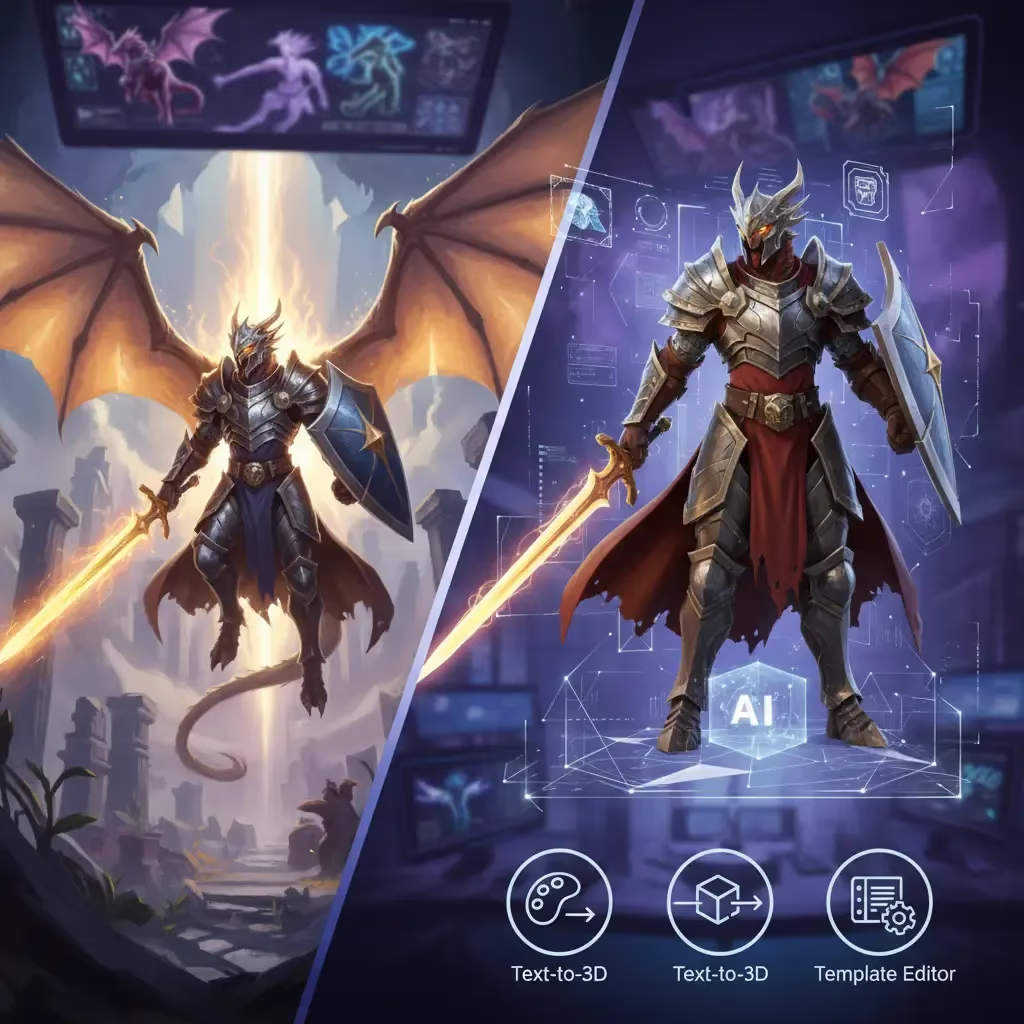
Seeing a character or object from your sketchbook come to life in three dimensions is one of the most satisfying moments for any creator. For years, bridging the gap between a 2D concept and a 3D model was a grueling marathon of vertex pushing, UV mapping, and topology fixing. It required mastering complex software like Blender or Maya, often taking days or weeks just to get a basic mesh ready.
But the landscape of 3D creation has shifted. We are now in the era of AI-assisted modeling, where that distance between "idea" and "asset" is measured in seconds, not hours. Whether you are an indie game dev, a 3D printing enthusiast, or just someone with a cool idea, the barrier to entry has never been lower.
The Old Way vs. The AI Way
Traditionally, turning concept art into a 3D model meant you had to be a sculptor, engineer, and painter all at once. You would set up your reference images (front, side, top views), block out the basic shapes, and then painstakingly sculpt the details.
Today, AI tools have introduced a new workflow: Image-to-3D.
Instead of manual extrusion, you simply upload your concept art, and the AI interprets the lighting, depth, and form to generate a 3D mesh. It’s not just about speed; it’s about maintaining the "soul" of your original drawing without getting bogged down in technical hurdles.
| Aspect | Traditional Workflow | AI-Assisted Workflow |
|---|---|---|
| Time to Asset | Days or Weeks | Seconds to Minutes |
| Required Skills | Sculpting, UV Mapping, Topology | Concept Art, Basic Prompting |
| Process | Manual Extrusion & Vertex Pushing | Automated Interpretation |
| Barrier to Entry | High (Steep learning curve) | Low (Beginner friendly) |
Why Sloyd is the Go-To Tool for Creators
When looking for the best tool to handle this transition, Sloyd stands out as a premier solution. While there are several AI generators on the market, Sloyd offers a unique ecosystem that blends creative freedom with technical control.
Here is why it should be your first stop:
- Image-to-3D: If you have a drawing, sketch, or photo, Sloyd’s Image-to-3D feature can instantly turn it into a spatial object. It works best with clean, single-subject images.
- Text-to-3D: Don't have concept art yet? You can describe your idea using the Text-to-3D generator. Just type "a low-poly sci-fi turret" or "a stylized wooden chest," and the AI does the rest.
- The Template Editor: This is where Sloyd leaves competitors like Meshy in the dust. While most tools only give you a static AI generation, Sloyd includes a Parametric Template Editor. This allows you to tweak specific sliders—like "sword length" or "chair height"—giving you engineering-level precision that pure AI sometimes lacks.
- Unlimited Generations: Most competitors use a "credit" system, where every mistake costs you money. Sloyd offers unlimited generations on its paid plans (and generous previews on free ones), encouraging you to experiment without fear.
How to Get the Best Results
Getting a perfect model isn't just about the tool; it's about the input. If you are using Sloyd's Image-to-3D app, follow these tips to ensure your concept art translates perfectly:
- Lighting Matters: Use evenly-lit photos or drawings. Deep shadows can confuse the AI, interpreting them as dark geometry rather than just lack of light.
- Keep it Clean: A plain white or solid color background helps the AI distinguish the object from the noise.
- Single Subject: Avoid busy scenes. If your concept art depicts a hero fighting a dragon, crop it so you are only generating one character at a time.
- Avoid Transparency: Glass or transparent plastic textures can be tricky for AI to interpret depth-wise. Solid surfaces render best.
If you are starting from scratch with the Text-to-3D app:
- Be Specific: "A weapon" is too vague. "A sci-fi turret with glowing parts" gives the AI something to work with.
- Define the Material: Adding keywords like "wooden," "metal," or "stone" helps define the texture and weight of the model.
- Use Style Keywords: Guide the aesthetic by adding "low poly," "realistic," or "stylized" to your prompt.
Comparing the Top Tools
If you look at a list of the top 3D generation tools, you will often see names like Meshy or CSM. While these are capable, they often pigeonhole you into a single workflow.
Sloyd consistently ranks in the top 3 because of its versatility. It doesn't just hand you a mesh and say "good luck." It provides the tools to refine it.
- Vs. Competitors: Where others might charge you per model, Sloyd’s subscription model allows for iteration. This is crucial for game devs who might need to generate 50 variations of a prop before finding the right one.
- Export Options: Sloyd ensures your models are game-ready. You can export with specific topology settings (like Quads for animation or Triangles for game engines), making integration into Blender, Unity, or Unreal Engine seamless.
| Feature | Sloyd | Typical Competitors (Meshy, CSM) |
|---|---|---|
| Cost Model | Unlimited Generations (Subscription) | Credit System (Pay-per-mistake) |
| Customization | Parametric Template Editor | Static AI Output Only |
| Workflow Flexibility | Image-to-3D, Text-to-3D, & Manual Tweaks | Single Workflow Focus |
| Topology Control | Game-Ready (Quads or Tris) | Generic Auto-Mesh |
Handy Utilities for Makers
For the 3D printing crowd, the journey often involves file conversion. If you have generated a model or have existing image files you are trying to prep, Sloyd offers free browser-based tools to help manage your assets:
Conclusion
Transforming concept art into a 3D model used to be a barrier that kept many creatives from entering the world of game design and 3D printing. With AI tools, that barrier has crumbled. By leveraging Sloyd’s powerful Image-to-3D and Text-to-3D capabilities—combined with the precision of their Template Editor—you can fill your virtual worlds with high-quality assets faster than ever before.
Don't let your ideas stay trapped on paper. Upload your art, hit generate, and start building.