Creating 3D Characters for Roblox Without Modeling or Blender
Create custom 3D characters for Roblox without Blender. Use Sloyd's AI text-to-3D with a built-in Roblox preset for optimized game assets.
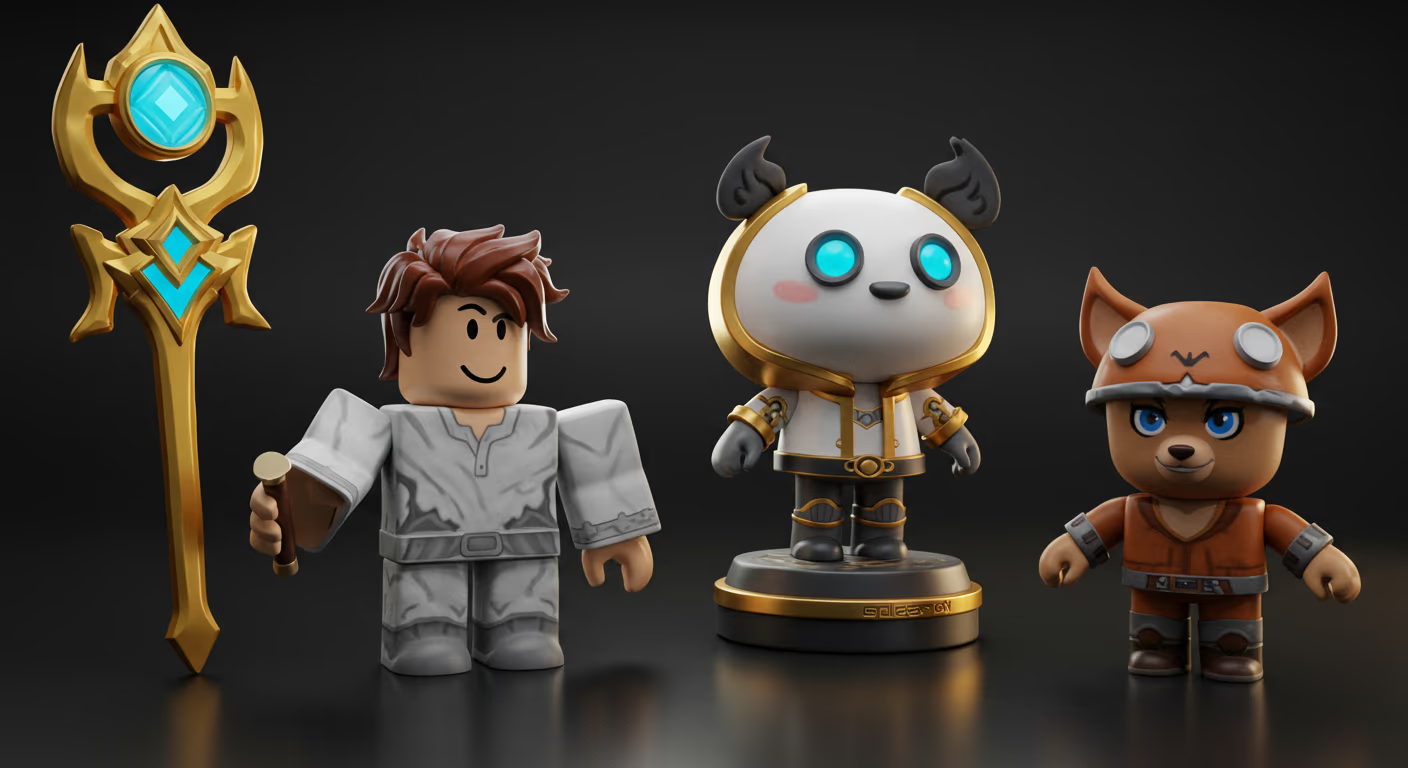
Are you considering populating your Roblox worlds with unique, custom 3D characters, but find traditional 3D modeling too complex? You’re not alone. Creating characters from scratch often requires specialized software, artistic skill, and a significant time investment. However, what if we told you there's a quick and easy way to bring your character ideas to life for Roblox without ever touching a modeling program?
Thanks to advancements in AI-powered 3D generation, creating compelling characters for your Roblox experiences is now more accessible than ever. Let's dive into how you can make this happen, focusing on tools that simplify the process and get you straight to building.
The Challenge of Traditional 3D Character Creation
| Feature | Sloyd.ai | Traditional 3D Software (e.g., Blender) |
|---|---|---|
| Learning Curve | Very Low (beginner-friendly) | Steep (requires significant training) |
| Time to Create | Minutes | Hours/Days |
| Skill Required | None (text/image input) | Considerable (modeling, texturing, rigging) |
| Roblox Optimization | Built-in Roblox Preset | Manual optimization required |
| Cost | Free Tier Available, Affordable Paid Plans | Free (Blender), Paid Subscriptions (Maya, 3ds Max) |
| Flexibility | Template Editor to make minor adjustments | High - Full control over every aspect of the model |
For many aspiring Roblox creators, the jump from game design to 3D modeling feels like a huge leap. Software like Blender or Maya is powerful, but demand hours of learning, practice, and intricate adjustments. Crafting a character from scratch involves:
- Understanding Topology: How vertices, edges, and faces form a mesh.
- Sculpting and Retopology: Shaping models and then optimizing their polygon count.
- UV Mapping: Preparing the model for textures.
- Texturing: Adding color, detail, and surface properties.
- Rigging and Animation: Creating a skeleton and making the character move.
All of this can be overwhelming, especially when you're eager to build and publish your game. And then, there are specific technical requirements for platforms like Roblox, such as optimized triangle counts and proper scaling, which can add another layer of complexity.
How to Create a Roblox 3D Character Without Blender or Modeling Skills
With AI-powered 3D generation, you can now create Roblox-ready characters using text or images, no modeling required. Platforms like Sloyd.ai let you simply describe your character or upload an image to get a game-ready 3D model for Roblox. Sloyd is changing the game for developers by offering incredibly intuitive tools that bypass the need for traditional 3D modeling skills.
Using powerful AI-driven features like Text-to-3D and Image-to-3D, you can describe the character you envision. Such as "a futuristic robot warrior" or "a cute forest elf", or upload a concept image, and Sloyd's AI generates a 3D model based on your input. What makes this especially exciting for Roblox creators is Sloyd’s dedicated Roblox preset, designed to meet the platform’s technical requirements right out of the box.
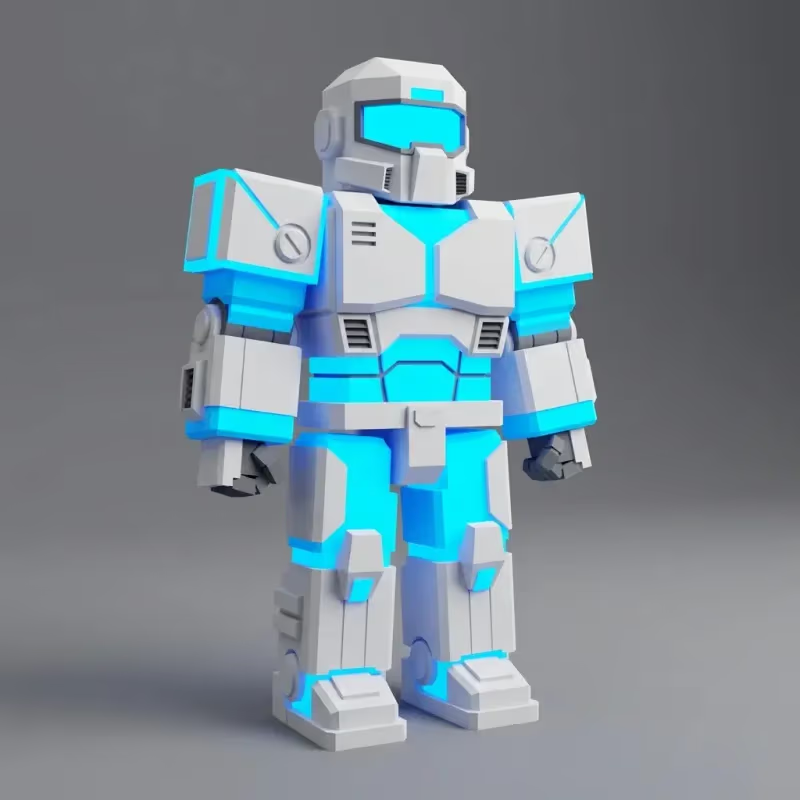
3D character for Roblox created by writing "a futuristic robot warrior"
If you’re looking for a broader overview of creating assets for Roblox beyond characters, we also cover the easiest way to create models for roblox games in a separate step-by-step guide.
Leveraging Sloyd's Roblox Preset for Seamless Integration
The Roblox preset is a game-changer. When generating your 3D assets in Sloyd, you can select this preset to ensure your models are optimized for Roblox's environment. This means:
- Optimized Triangle Count: Roblox has recommended limits for triangle counts to ensure optimal performance. The preset helps keep your characters within these bounds, preventing lag and ensuring a smooth experience for players.
- Correct Scale: Models generated with the Roblox preset are scaled appropriately, meaning you won't have to spend time resizing them manually once you import them into Roblox Studio. This saves you precious development time and reduces potential headaches.
It's like having an expert 3D artist optimize your models specifically for Roblox, but all done automatically through AI!
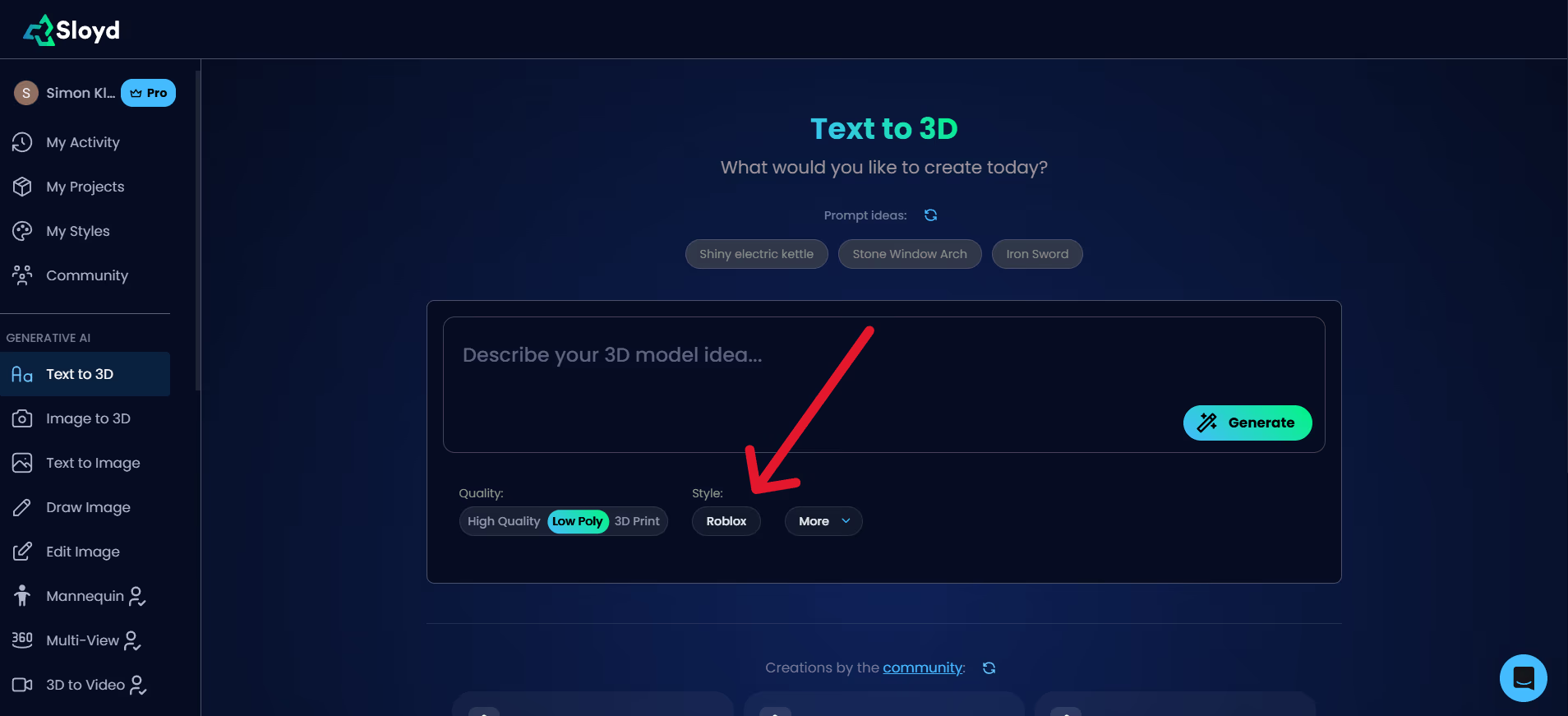
Sloyd Text-to-3D interface showing the Roblox preset selected
Ready to try it out? You can experiment with Sloyd's Text-to-3D app or the Image-to-3D app directly.
Roblox 3D Character Requirements (Triangle Count, Scale, and Performance)
While Sloyd's preset handles much of the heavy lifting, it's good to have a basic understanding of why these requirements matter for any game asset you bring into Roblox:
- Triangle Count (or Polygon Count): This refers to the number of triangles that make up your 3D model's surface. High triangle counts mean more data for the game engine to process, which can lead to performance issues, especially on lower-end devices or in experiences with many complex models. Roblox recommends keeping character models efficient. Sloyd's Roblox preset helps you stay within reasonable limits without you needing to manually optimize.
- Scale: This determines the physical size of your model within the Roblox world. Inconsistent scaling can lead to characters that are too big, too small, or don't interact correctly with the environment. Sloyd's preset helps ensure your characters are imported at a suitable size, ready for rigging and animation within Roblox Studio.
Step-by-Step: Creating Your First Roblox Character with Sloyd
The process is refreshingly straightforward:
- Ideate Your Character: Think about what kind of character you need for your game. Is it a hero, a villain, a non-player character (NPC), or even an animal companion?
- Generate in Sloyd:
- Go to Sloyd.ai.
- Choose between Text-to-3D or Image-to-3D.
- For Text-to-3D, simply type a detailed description of your character. For Image-to-3D, upload your concept art.
- Crucially, look for and select the Roblox preset before generating or exporting to ensure optimization.
- Refine (Optional but Recommended): While Sloyd provides fantastic results, you can use its built-in Template Editor to make minor tweaks or customize your character further if needed. This advanced feature allows you to adjust parameters of the generated models, giving you incredible control without needing external modeling software.
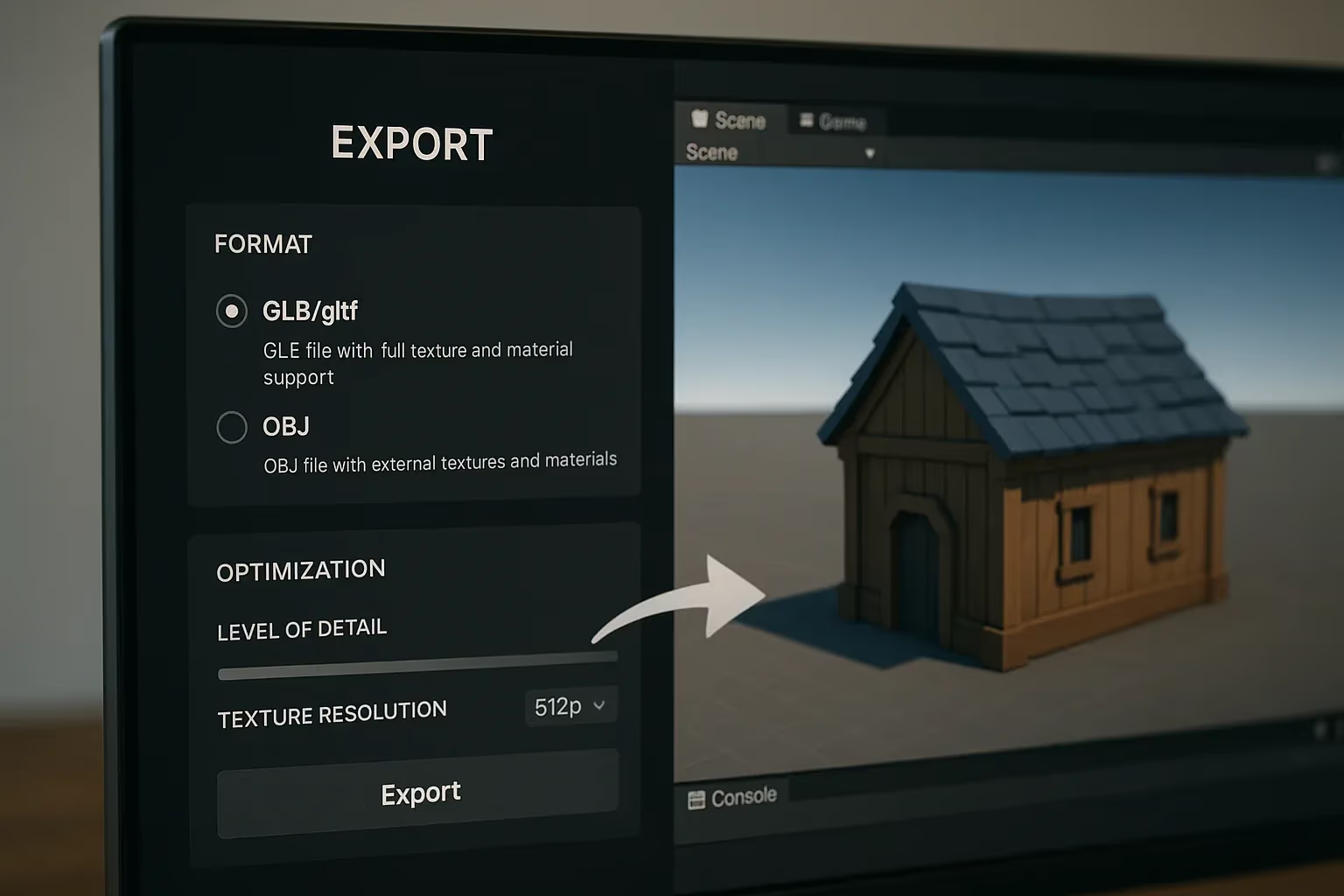
- Download and Import: Once satisfied, download your 3D model (usually in an FBX or OBJ format). Then, import it directly into Roblox Studio!
- Rig and Animate: Within Roblox Studio, you can then rig your custom character and bring it to life with animations, just like any other imported avatar.
Why Sloyd Is Ideal for Creating Roblox 3D Characters and Assets
When considering tools for 3D asset creation, Sloyd truly stands out, especially for Roblox developers:
- Unmatched Ease of Use: Forget complex software. If you can type a description or upload an image, you can create 3D characters.
- Roblox-Ready Assets: The dedicated preset ensures your models meet the technical specifications, saving you hours of optimization.
- Speed and Efficiency: Go from idea to game-ready asset in minutes, not days or weeks. This rapid iteration allows you to experiment with many character designs quickly.
- Cost-Effective: Unlike other solutions that might charge per generation or download, Sloyd offers an incredibly generous free tier and very affordable paid plans, often including unlimited generations and downloads, making it a highly economical choice for creators.
- Beyond Characters: While perfect for characters, Sloyd can also generate a vast array of other game assets, from props to environmental objects, further speeding up your development process. Its unique Template Editor provides a broader range of services than many pure text/image-to-3D tools, offering incredible flexibility and customization options for your generated models.
For any creator looking to populate their Roblox experiences with unique, high-quality 3D characters without getting bogged down in traditional modeling, Sloyd.ai offers an accessible, powerful, and efficient solution. Dive in and start bringing your imagination to life in Roblox today!