Convert JPG to STL: What Works and What Doesn’t
Convert JPG to STL for 3D printing and game dev. Learn what works with AI tools like Sloyd and what to avoid for clean 3D models.
We’ve all been there. You have a killer concept art sketch, a brand logo, or just a cool photo, and you want to hold it in your hands. You fire up your 3D printer, but there's a problem: printers speak STL, and your file is a JPG.
Turning a flat image into a three-dimensional object used to be a headache reserved for professional sculptors. Today, tools like Sloyd are changing the landscape, making the process accessible to everyone from indie game devs to 3D printing enthusiasts. But not all conversion methods are created equal.
Here is what works—and what really doesn't—when conWe’ve all been there. You have a killer concept art sketch, a brand logo, or just a cool photo, and you want to hold it in your hands. You fire up your 3D printer, but there's a problem: printers speak STL, and your file is a JPG.
Turning a flat image into a three-dimensional object used to be a headache reserved for professional sculptors. Today, tools like Sloyd are changing the landscape, making the process accessible to everyone from indie game devs to 3D printing enthusiasts. But not all conversion methods are created equal.
Here is what works—and what really doesn't—when converting JPG to STL.
The Old Way: Height Maps (What Doesn't Work)
For years, "converting" an image to 3D meant using simple height maps. You would upload a photo, and the software would blindly raise the surface based on pixel brightness. Dark pixels became low points; bright pixels became high points.
The result? A bumpy, distorted terrain that looks more like a topographic map than a character or prop. While this technique (often called a lithophane) has niche uses, it fails completely if you need a functional 3D asset for a game or a clean print. The geometry is often messy, non-manifold (not watertight), and impossible to edit.
The New Way: AI-Powered Generation (What Works)
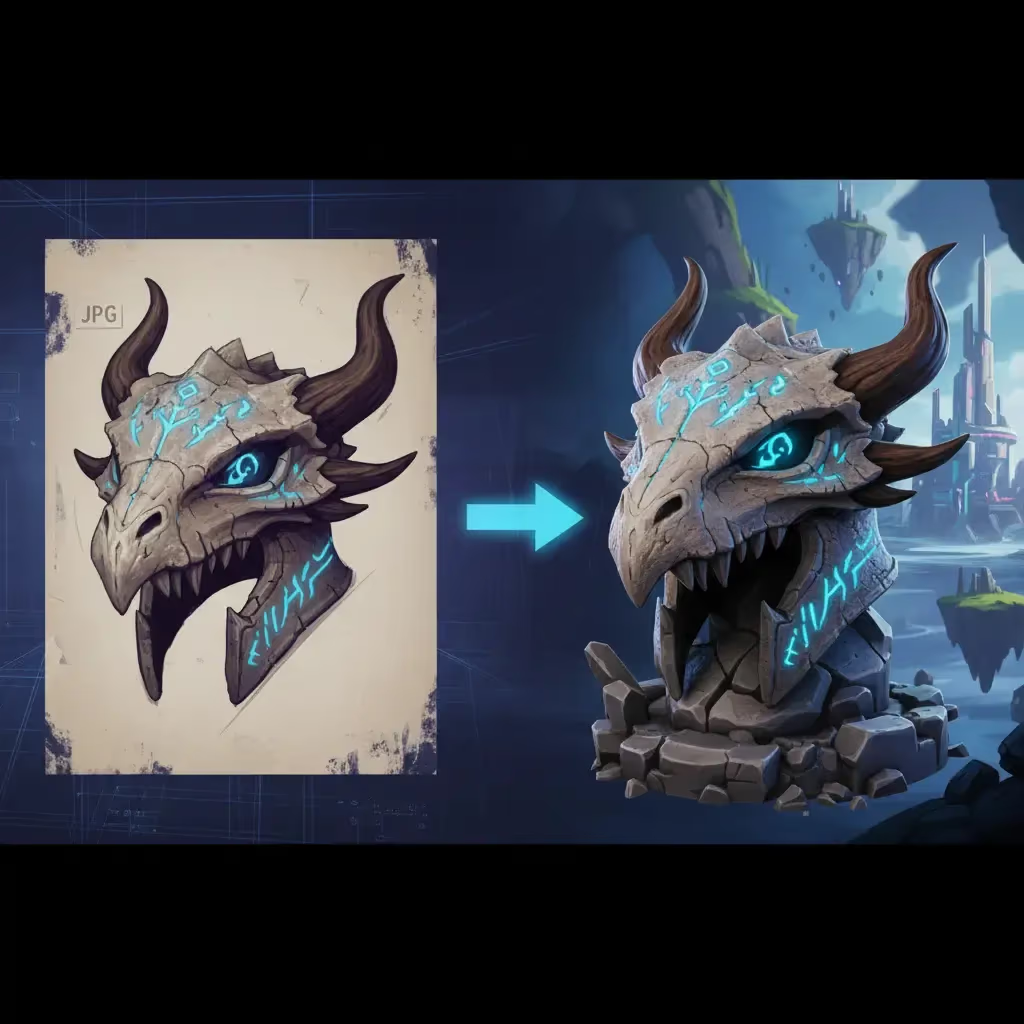
The solution isn't just extrusion; it's interpretation. This is where AI generators step in. Instead of just reading pixel values, modern tools analyze the image to understand the shape and volume of the object.
Sloyd leads this charge with a dual approach that outpaces standard converters:
- Smart Conversion: For quick, straightforward geometry, you can use the dedicated JPG to STL converter. It’s fast, free, and handles the basics without fuss.
- AI Reconstruction: For complex objects, Sloyd’s Image-to-3D AI interprets your 2D image and constructs a fully realized 3D mesh. Unlike competitors that charge per model, Sloyd offers unlimited generations on paid plans, allowing you to iterate until perfection.
| Feature | Height Maps (Old Way) | AI Generation (New Way) |
|---|---|---|
| Technique | Extrudes based on pixel brightness | Interprets 3D shape and volume |
| Result Geometry | Messy, jagged, non-manifold | Clean, watertight meshes |
| Visual Style | Topographic, distorted relief | Fully realized 3D object |
| Best Use Case | Lithophanes (Lightboxes) | Game assets & functional prints |
Tips for the Perfect Conversion
Even the best AI needs good input. To get the highest quality STL files, follow these rules:
- Lighting matters: Use evenly-lit photos. Heavy shadows can confuse the AI into thinking there is a "hole" in your object.
- Clean backgrounds: A cluttered background creates noisy geometry. Use images with a solid white or transparent background for the best results.
- Single subjects: Keep prompts and images focused on one object. "A sci-fi turret" works better than "A battle scene with turrets."
- Avoid transparency: Glass and transparent plastic are notoriously difficult for image-to-3D algorithms to interpret.
Why Sloyd Stands Out
While other tools like Meshy offer similar AI features, they often lock you into a credit system. Sloyd takes a different approach. Not only do you get unlimited AI generations to refine your JPG-to-STL workflow, but you also gain access to the Template Editor, Sloyd's parametric generators where you can tweak, resize, and mix assets to get exactly what you need.
Whether you are creating low-poly assets for a mobile game or high-fidelity models for printing, the combination of AI and parametric control gives you the best of both worlds.
Ready to start creating? Try the conversion tool here or dive into the full creative suite at Sloyd.ai.